
Dental clinic management software. One workspace for the schedule, the clinical record, the treatment plan and the money.
Most dental practices run on three or four disconnected tools: a calendar for appointments, a folder of paper or PDF odontograms, a spreadsheet for treatment budgets, and an invoicing program that knows nothing about either. Every handoff between them is manual, and every manual handoff is where revenue leaks and clinical detail gets lost.
Espejo Clinic replaces that stack with a single system. The receptionist books into the same calendar the dentist works from. The dentist charts findings tooth by tooth on an interactive odontogram. Those findings turn into a treatment plan, the plan turns into invoice lines, and the payments land back on the dashboard the practice owner opens every morning. Patients book themselves online against the clinic's real availability, so the phone stops being the bottleneck.
| Role | What the system gives them |
|---|---|
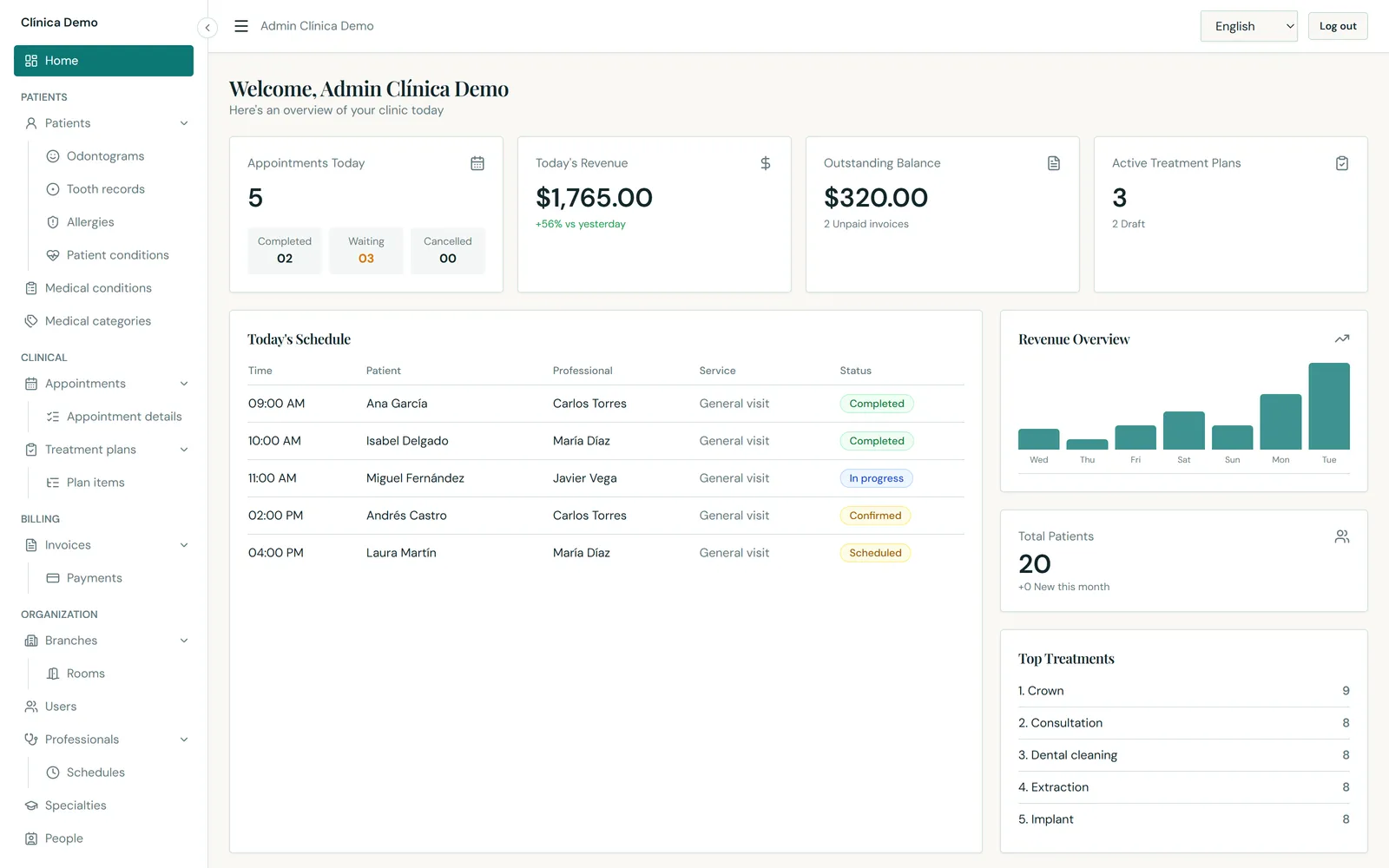
| Practice owner / manager | A live dashboard: today's appointments, today's revenue against yesterday, outstanding balance, active treatment plans, the 7-day revenue trend and the most-performed treatments. |
| Receptionist / front desk | A day/week/month calendar with colour-coded statuses, room and professional assignment, and booking straight from an empty slot — plus a public booking page that fills the diary without a phone call. |
| Dentist / specialist | An interactive odontogram with per-surface findings, medical alerts, allergies and conditions on the patient record, and treatment plans that carry straight into billing. |
| Assistant | Appointment detail lines — which services were actually performed, on which tooth, at what price. |
| Multi-site groups | Branches, rooms and per-professional weekly schedules per branch, with availability computed per site. |
Eleven functional areas, each one a real screen of the running product.
Below that: the full schedule for today, a seven-day revenue bar chart, total patient count with new patients this month, and a ranked list of the most-performed treatments.
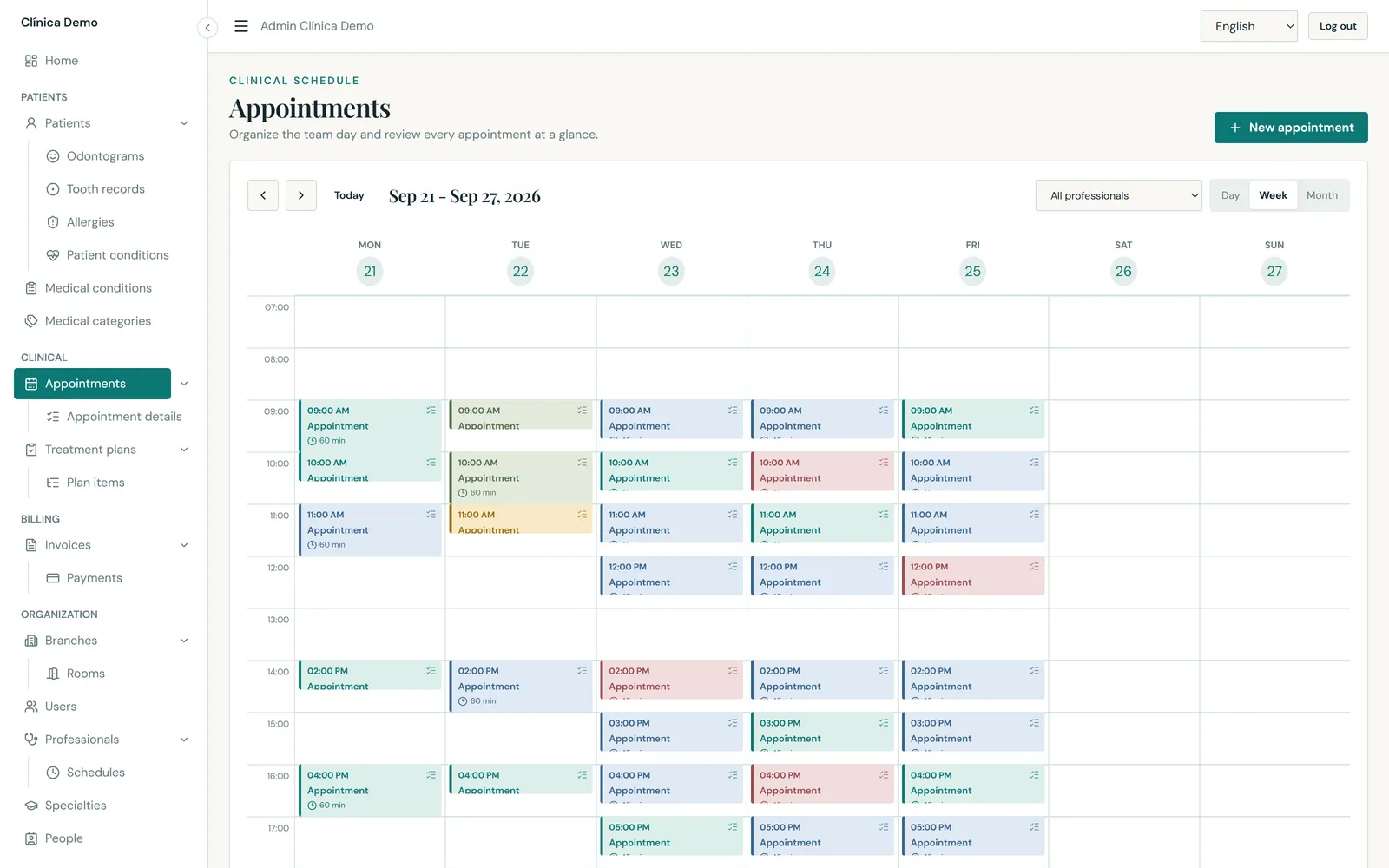
Day, week and month views. Every appointment is colour-coded by status — Scheduled, Confirmed, In progress, Completed, Cancelled, No-show — so the state of the diary is legible at a glance.
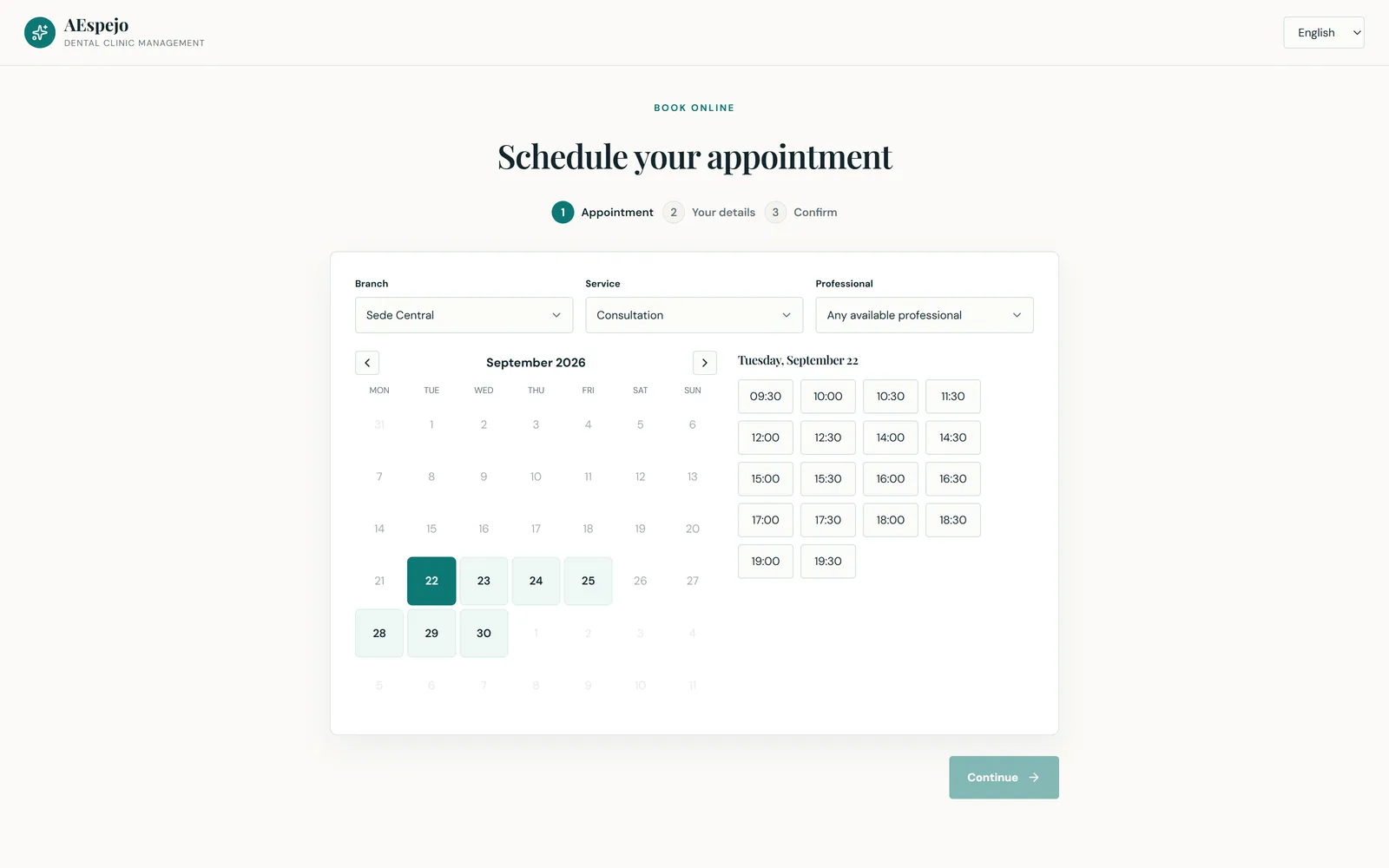
A public, unauthenticated booking page — no patient login, no app to install — in three steps: choose the appointment, enter your details, confirm.
What makes it trustworthy is the availability engine behind it. A slot is offered only when it survives every constraint at once:
The endpoint returns free time slots and nothing else — never another patient's name, contact details or appointment.
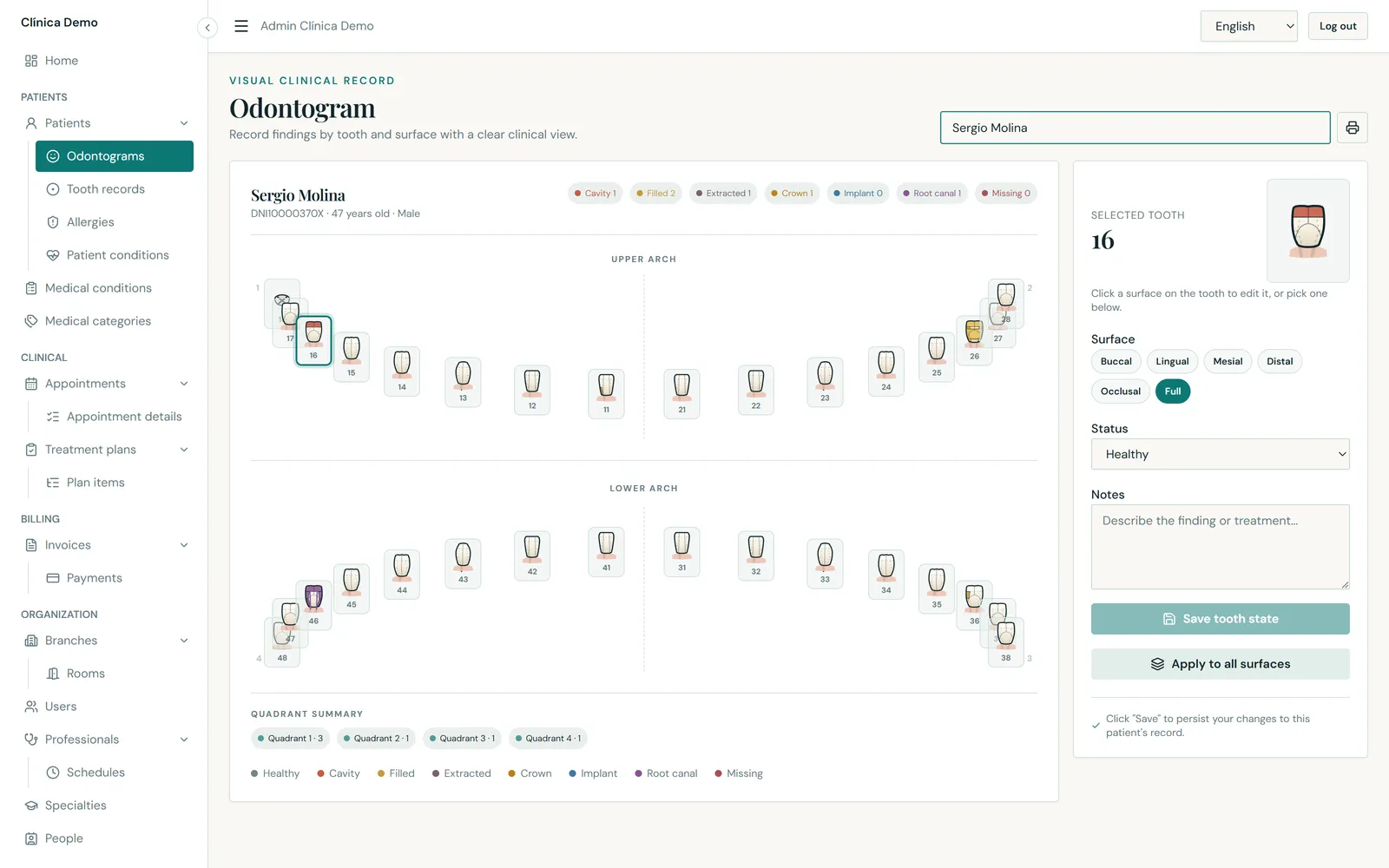
A full adult dentition laid out as upper and lower arches, each tooth clickable.
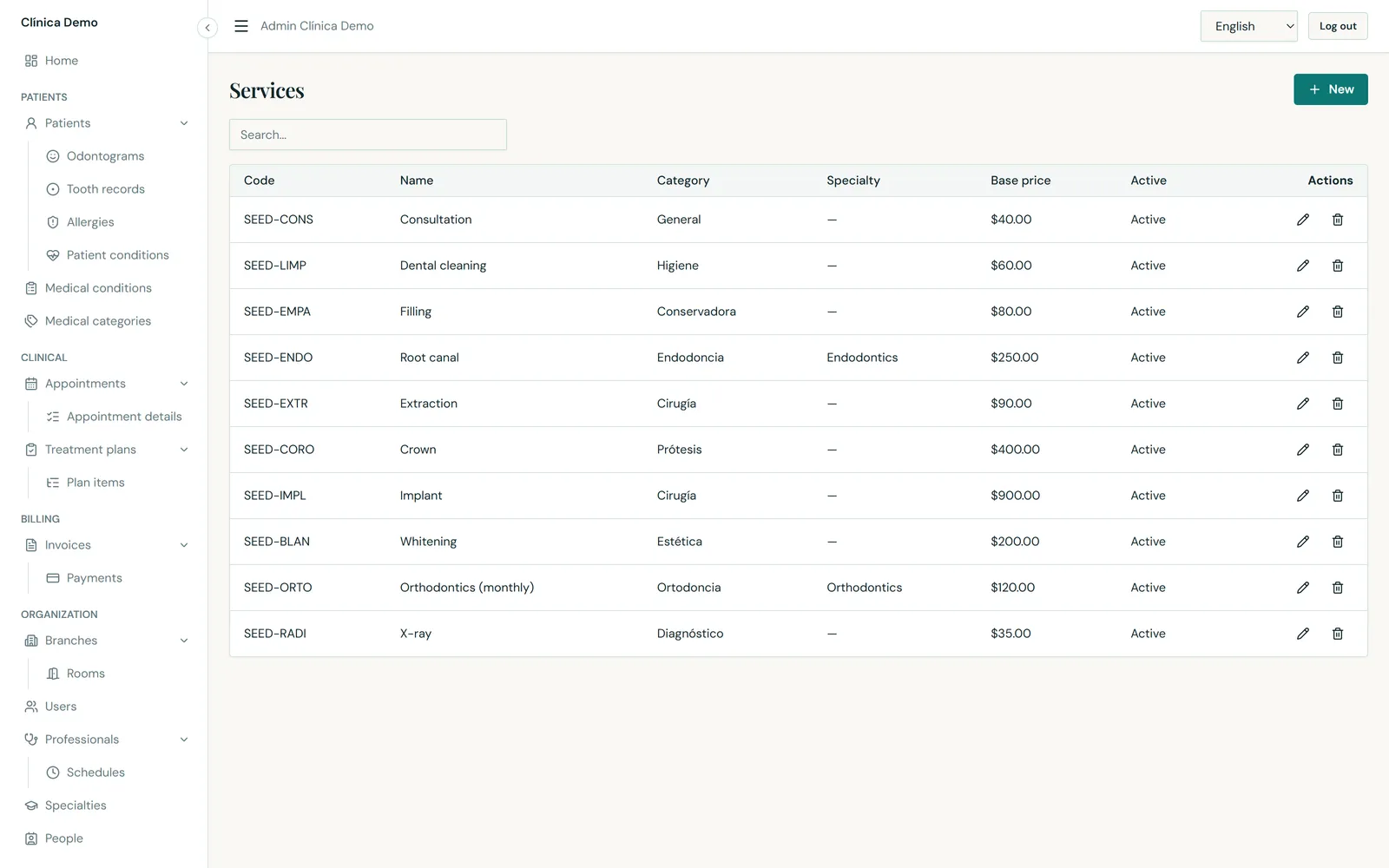
Patients are built on a shared Person record — name, date of birth, gender, document type and number, phone, email, address and photo — the single source of truth reused by users, professionals and patients alike. The patient record adds blood type, preferred language, emergency contact, branch and clinical notes.
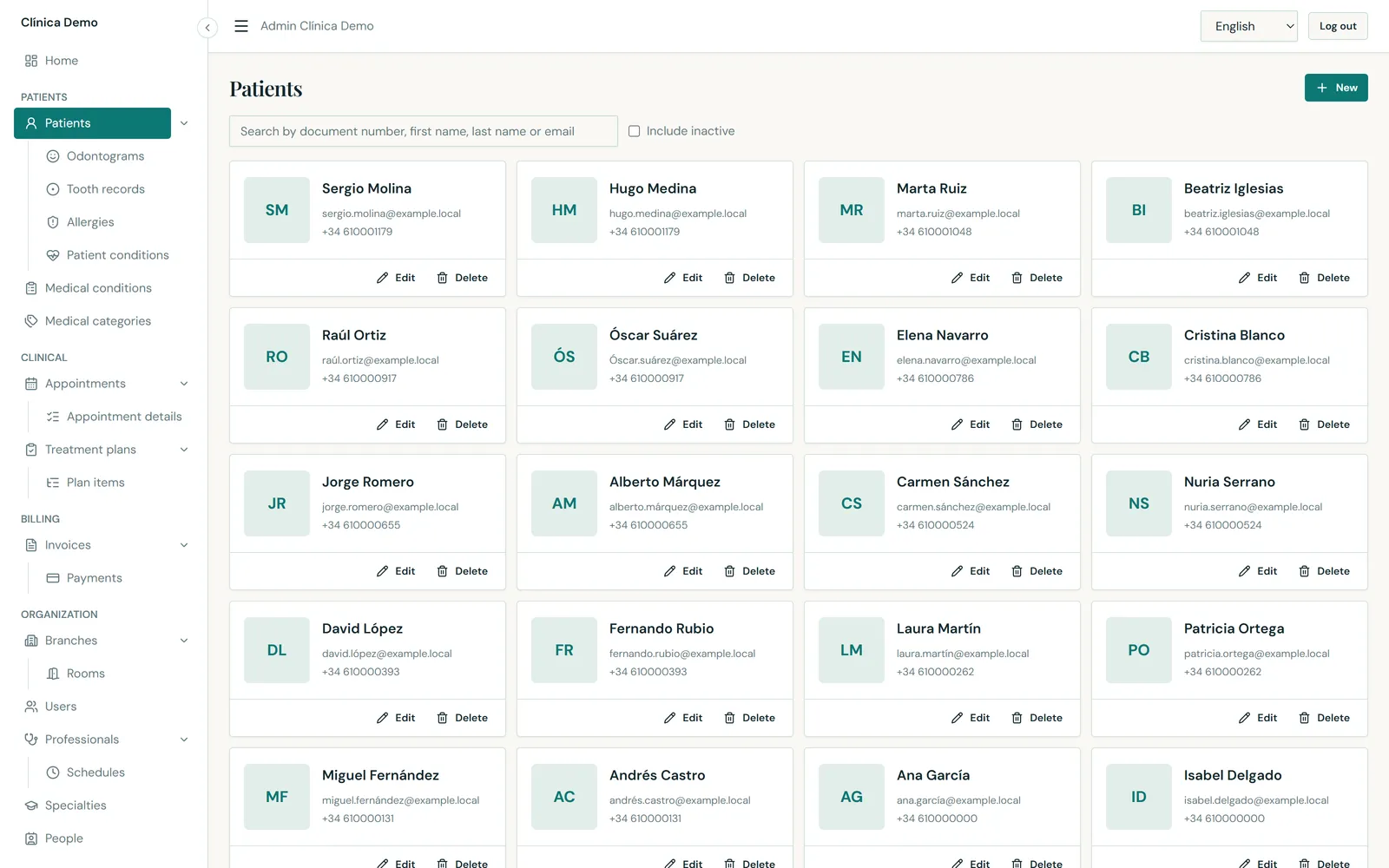
A plan groups the work a patient has agreed to: a title, a description, the responsible professional, and a status of draft, active, completed or cancelled.
Each plan item names a service from the catalogue, the tooth it applies to, quantity and estimated price, and tracks its own progress — pending, in progress, completed or skipped.
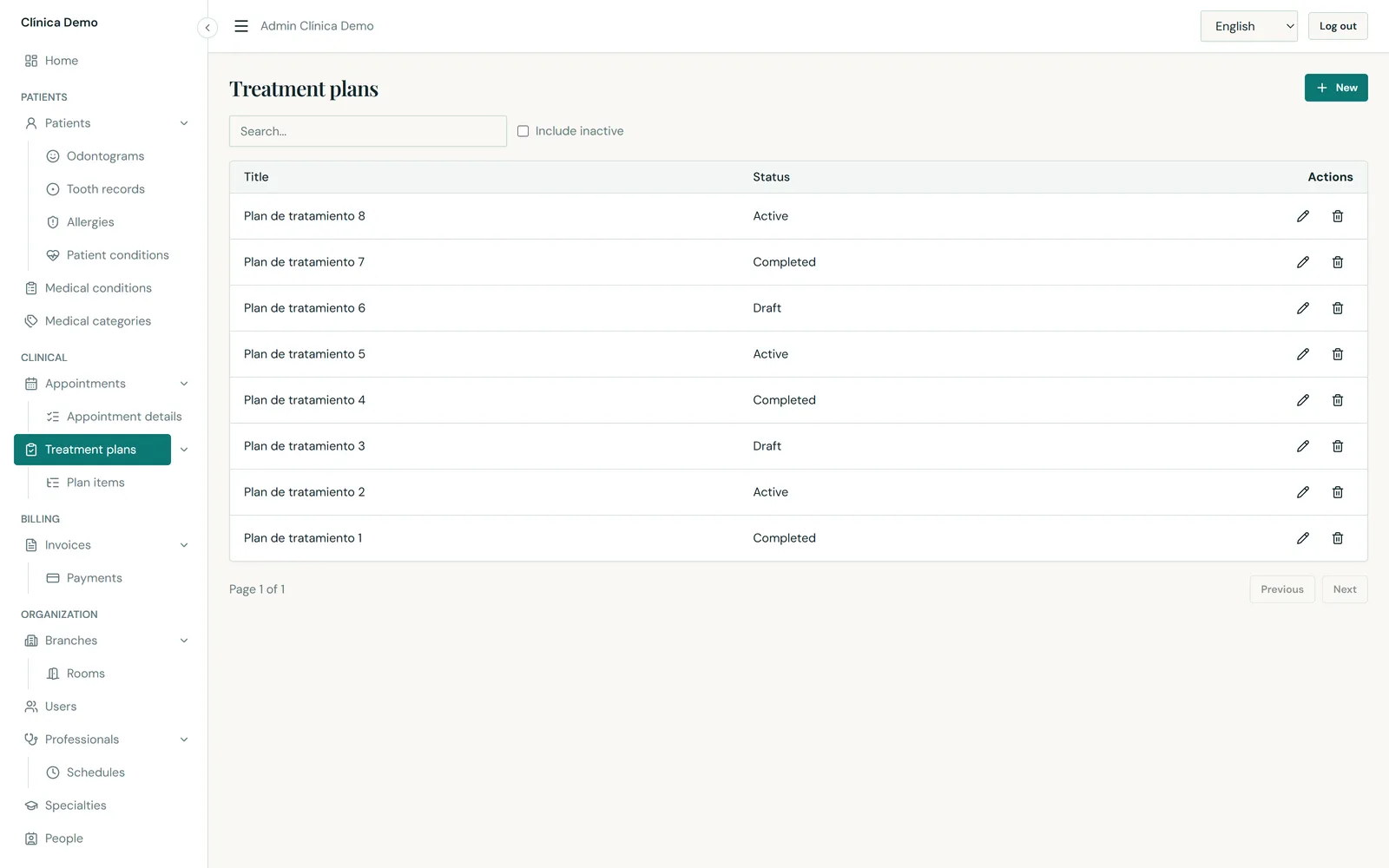
Invoices per patient and branch, each with an invoice number, issue date, total, amount paid and a status that moves through draft → issued → partially paid → paid (or cancelled).
Payments are recorded against an invoice with an amount, a date, a reference and a method — cash, card, bank transfer or insurance. Partial payments are supported natively, which is how real dental treatment is actually paid for.
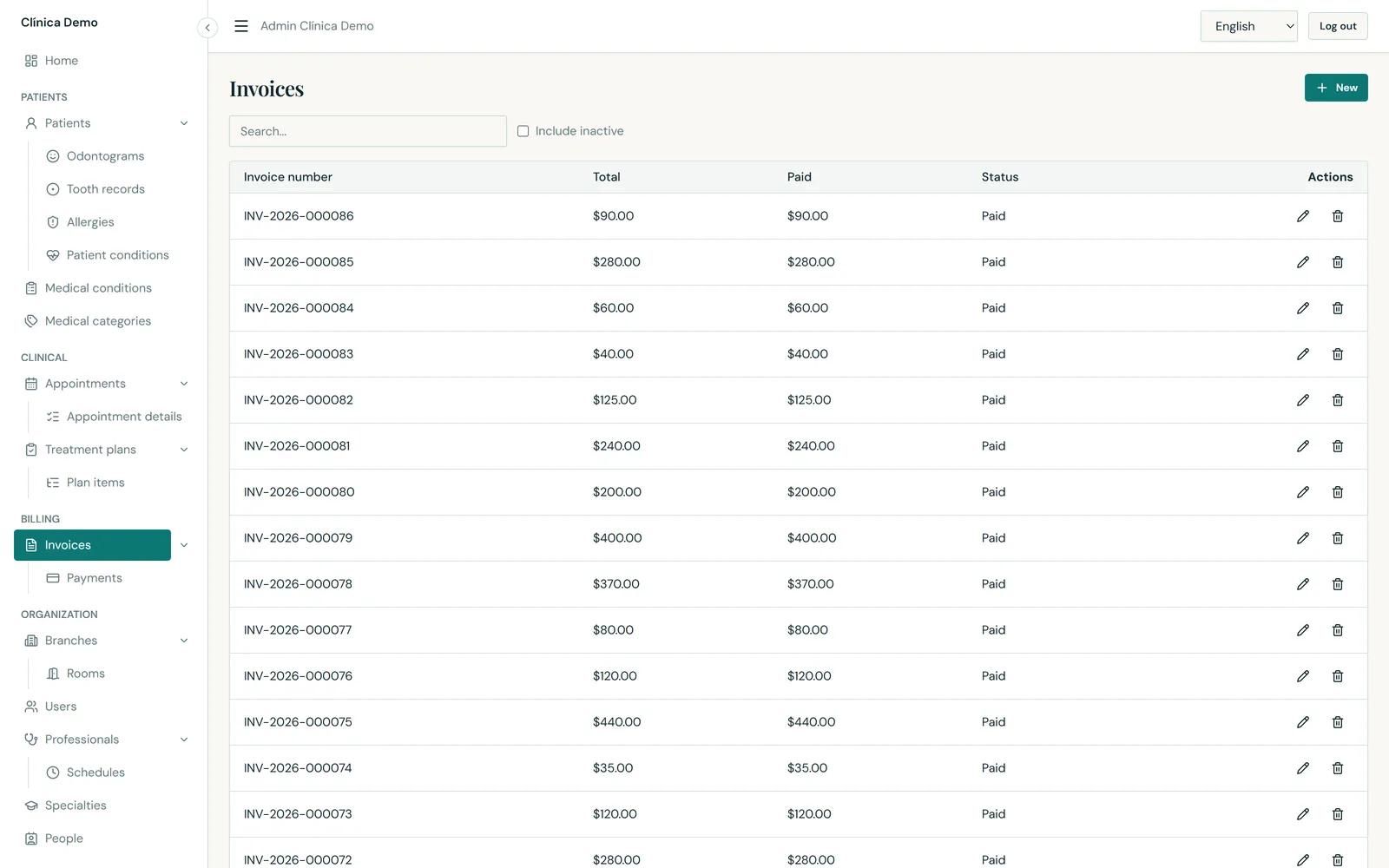
Everything the clinic offers — consultation, cleaning, filling, root canal, extraction, crown, implant, whitening, orthodontics, X-ray — each with a code, a category, a base price, an optional specialty and an active flag.
Service names and descriptions are translated per language, so a clinic serving two languages shows each patient the right wording without duplicating the catalogue.
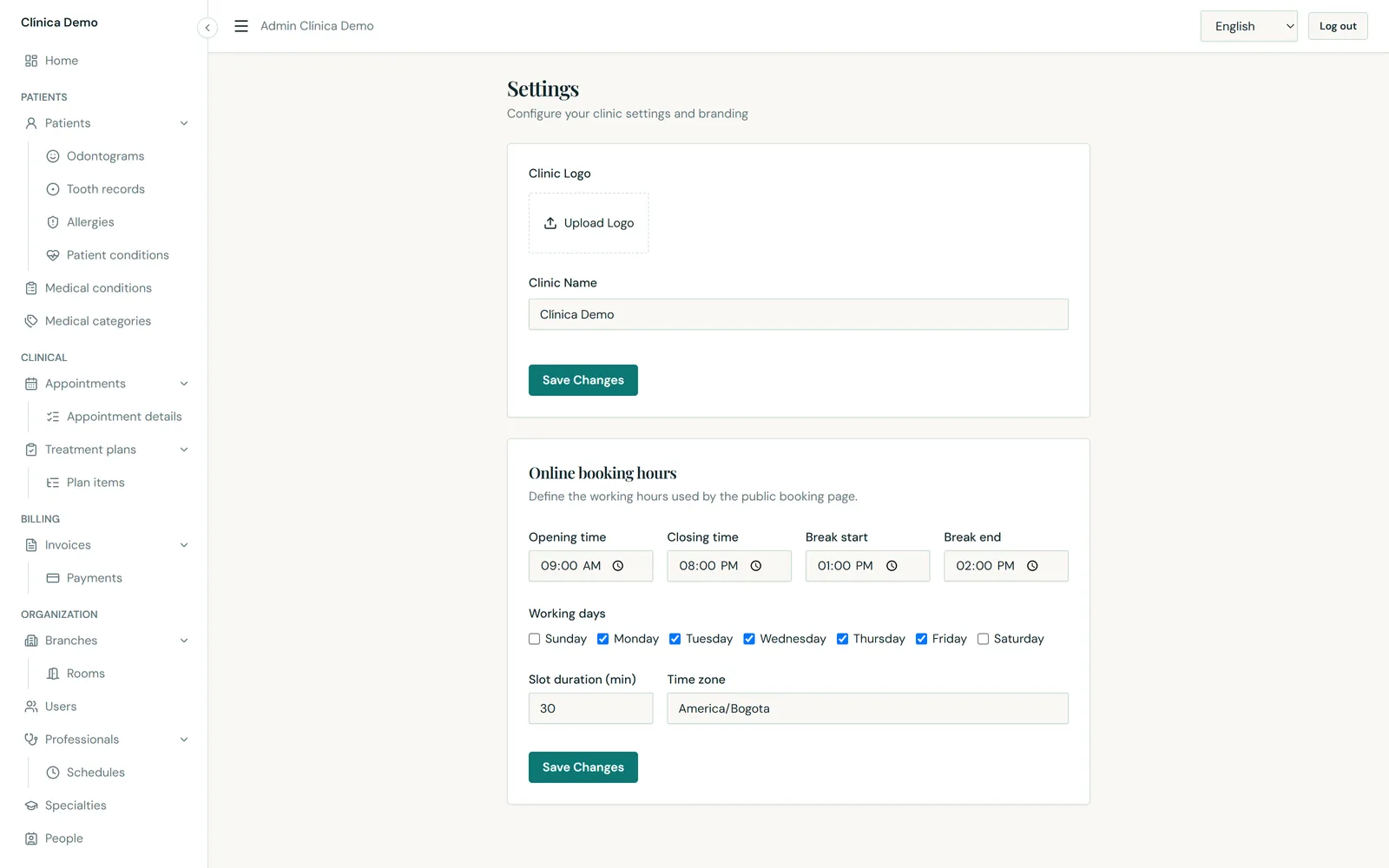
Clinic-wide settings in one place: clinic name and logo, and the online booking rules — opening time, closing time, break start and end, which days of the week are working days, slot duration in minutes, and the IANA time zone used to resolve local clinic hours to UTC.
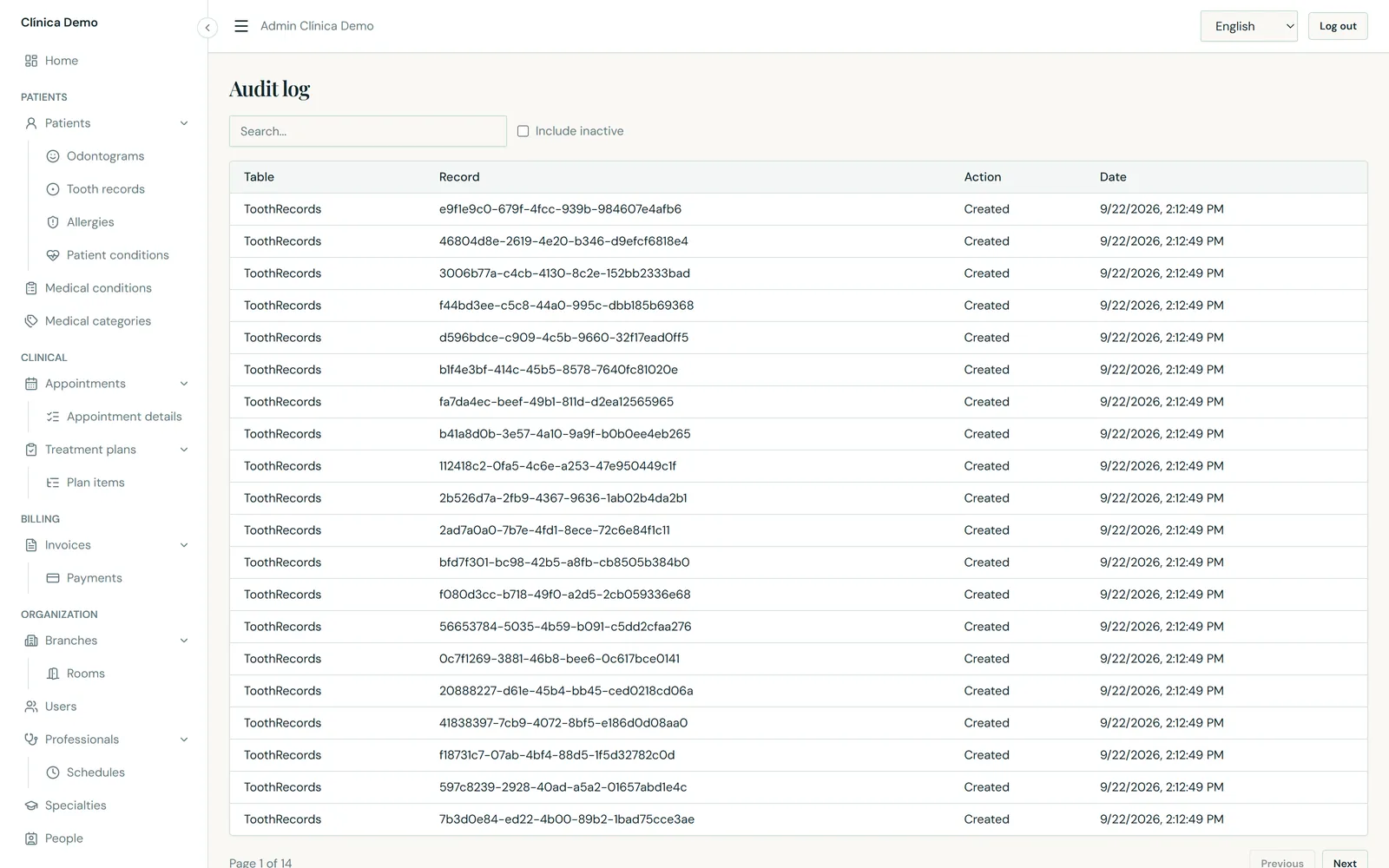
Every create, update and delete across every entity is written to an audit log automatically, recording the table, the record, the action and the timestamp.
The log is read-only through the API — it can be consulted but not edited or deleted from the application. Records that support it are soft-deleted (deactivated rather than destroyed), so history survives.
Not a shared table with a tenant_id column and a filter someone might forget. Each
clinic company's data lives in its own database, resolved per request from the subdomain or an
X-Tenant header. A request without a valid tenant is rejected before it reaches any data.
The booking engine intersects clinic hours, per-branch professional schedules, breaks, existing appointments and room occupancy. It does not offer a slot the clinic cannot honour.
English and Spanish are both first-class. Every label, button, toast, dialog, placeholder and validation message is a translation key — including enum values like appointment status and tooth status. A user's preferred language follows their account.
Odontogram findings feed treatment plans, plan items and appointment details reference the same priced service catalogue, and those lines become invoices and payments. Nothing is re-keyed between clinical work and billing.
The same build runs on SQL Server for production or on SQLite for a lightweight, dependency-free deployment — chosen purely by configuration, for both the master and every tenant database.
The interface is a responsive progressive web app: it works on a phone at the chair side and can be installed to the home screen.
| Area | Detail |
|---|---|
| Backend | .NET 10 · ASP.NET Core Web API · EF Core 10 · FluentValidation · Mapster |
| Frontend | React 19 · TypeScript · Vite · TanStack Query · PWA |
| Databases | SQL Server (production) or SQLite (lightweight deploy), selected by configuration |
| Architecture | Clean / layered — Domain ← Application ← Infrastructure / API |
| Security | JWT bearer authentication, role-based authorization, BCrypt password hashing |
| Multi-tenancy | Database per tenant; master database holds the tenant and language catalogues |
| Auditing | EF Core interceptor writes an audit row on every persisted change |
| API | REST, documented with an OpenAPI document and an interactive Scalar UI |
| Quality | xUnit test suite over the application services; analyzer-enforced code standard |
Drawn from what the product actually does — nothing here is a claim the software cannot back up.
Every image is a real capture of the running application. Click any screenshot to enlarge. Source files are available as PNG at 3200 × 2000 px (desktop, retina 2×) and 1290 × 2796 px (mobile) — large enough for print, social and web ads.
The six that carry a campaign on their own.
04-dashboard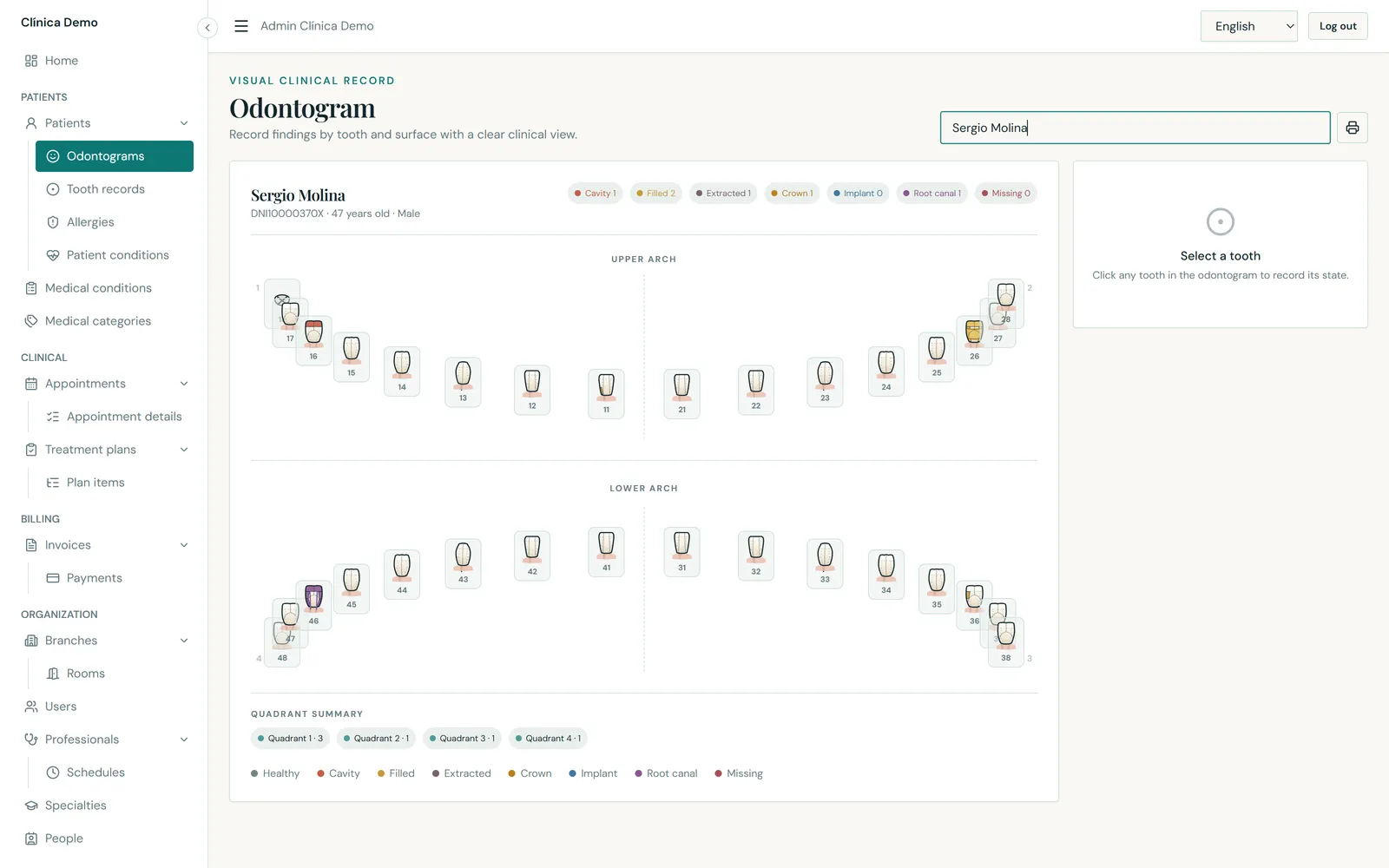
08-odontogram09-odontogram-tooth-selected05-calendar-week02b-public-booking-slots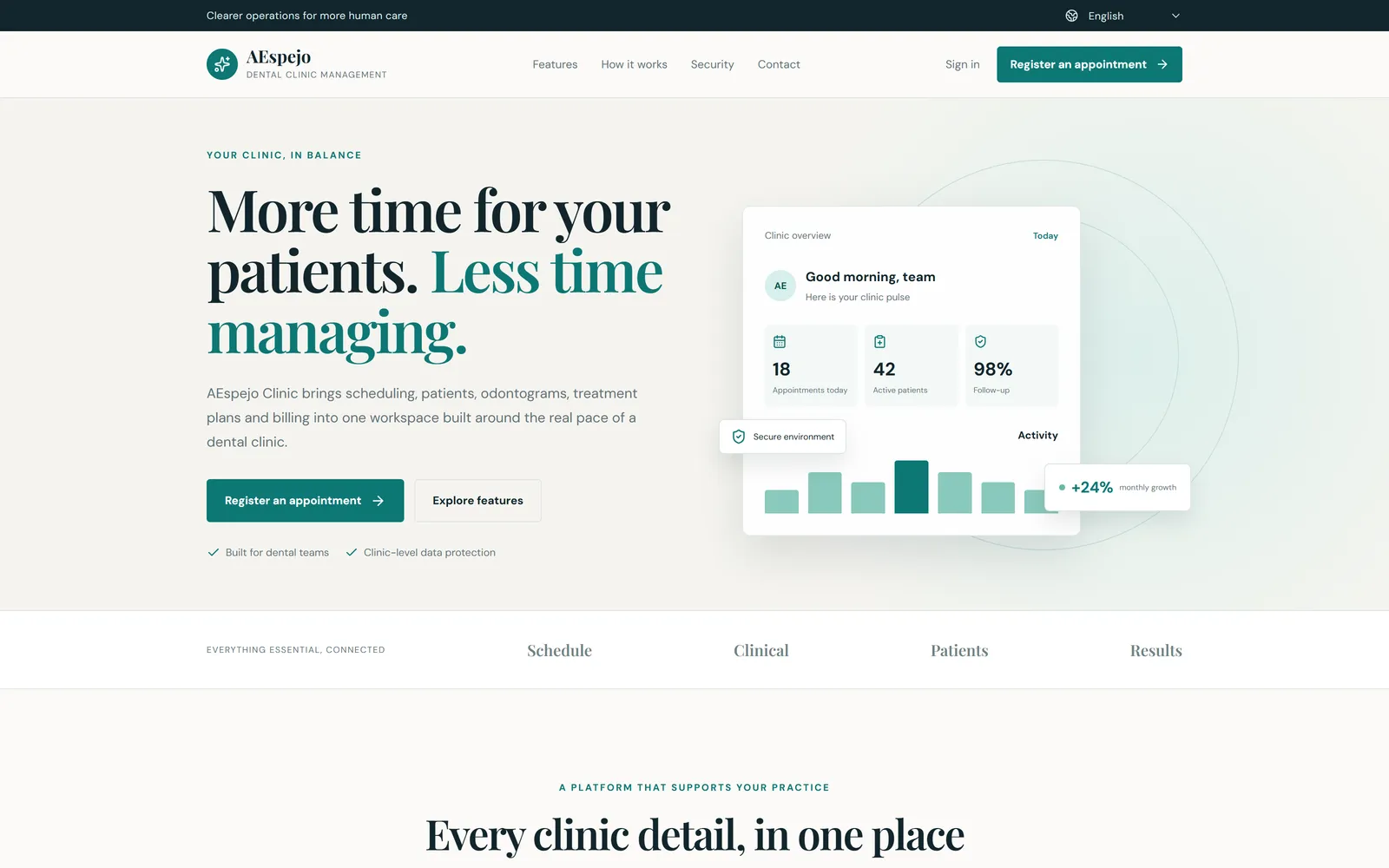
01-landing-heroWhat the clinic's own visitors and patients see.
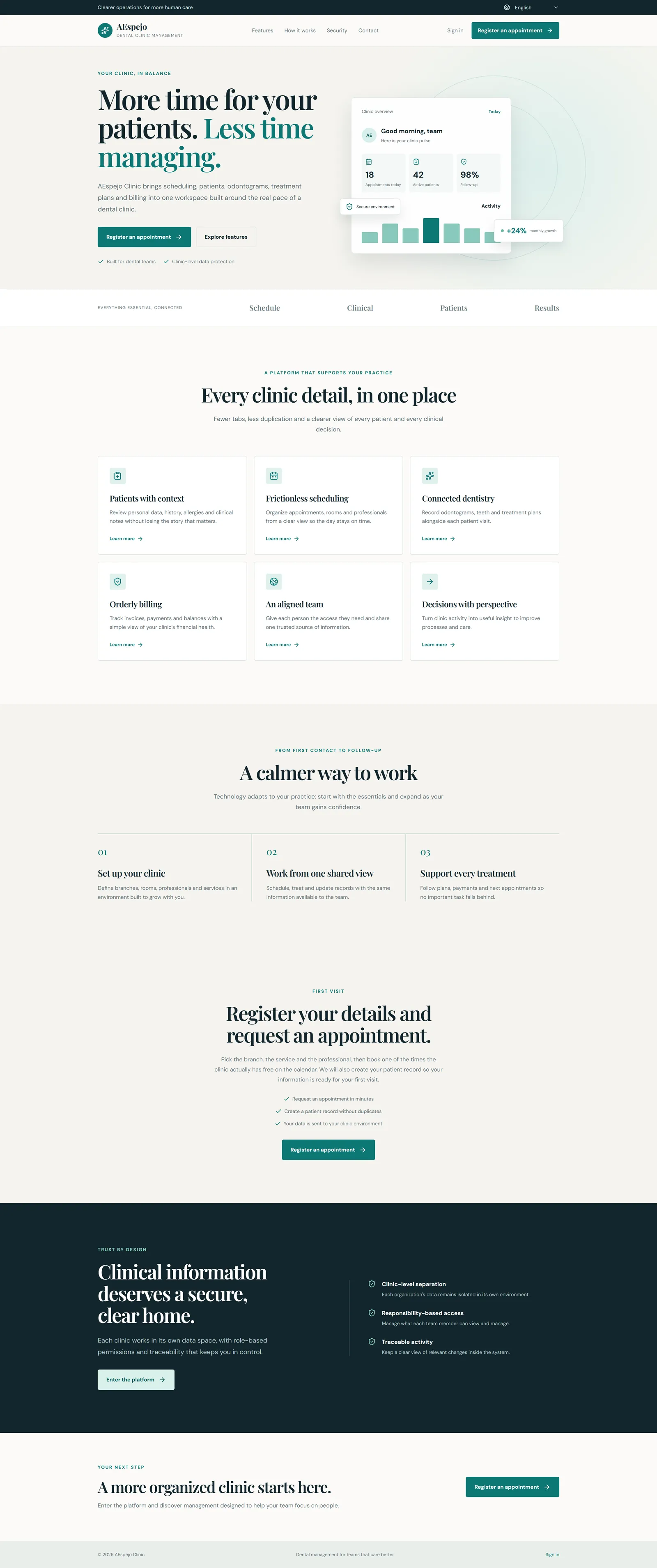
01-landing-full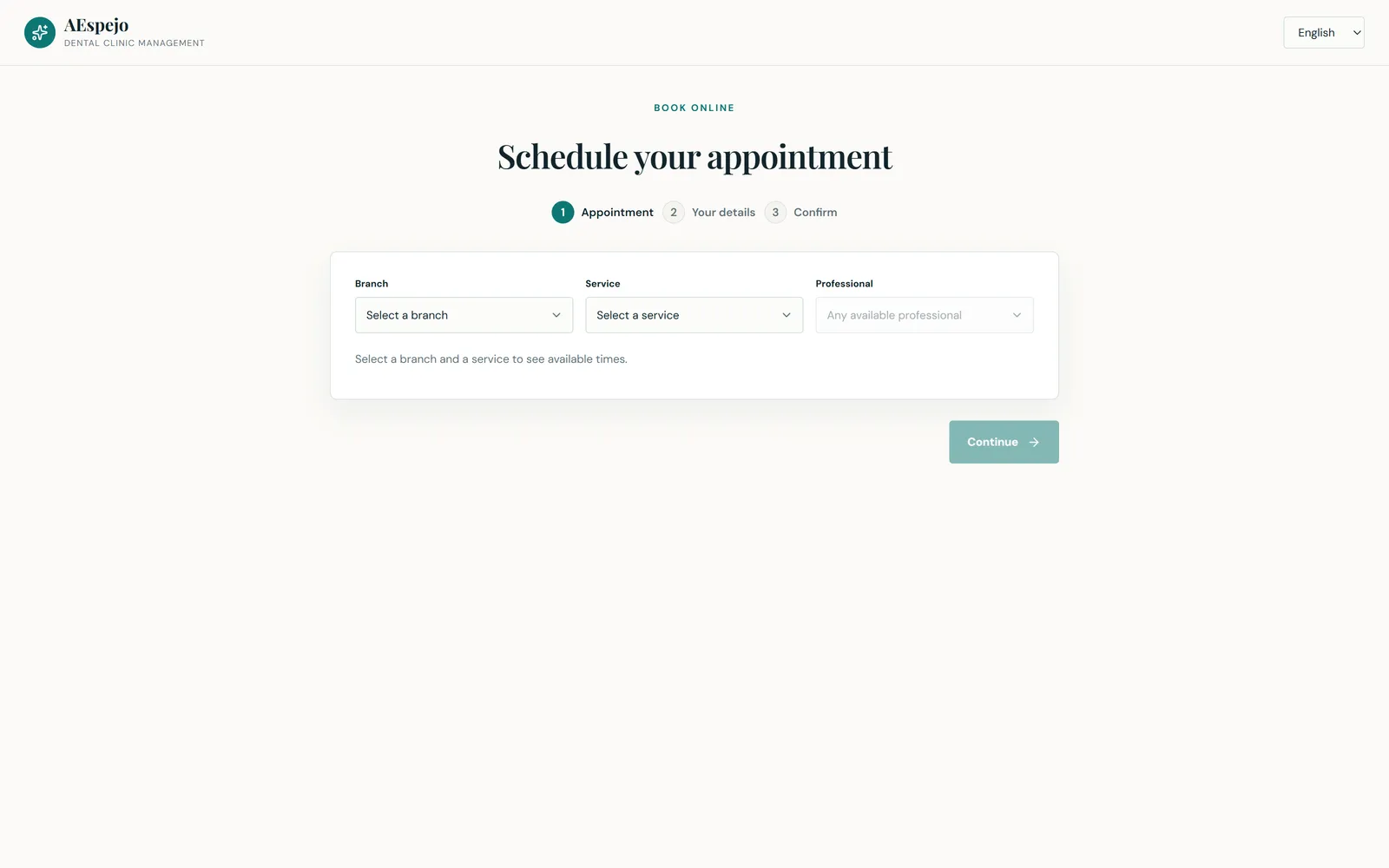
02-public-booking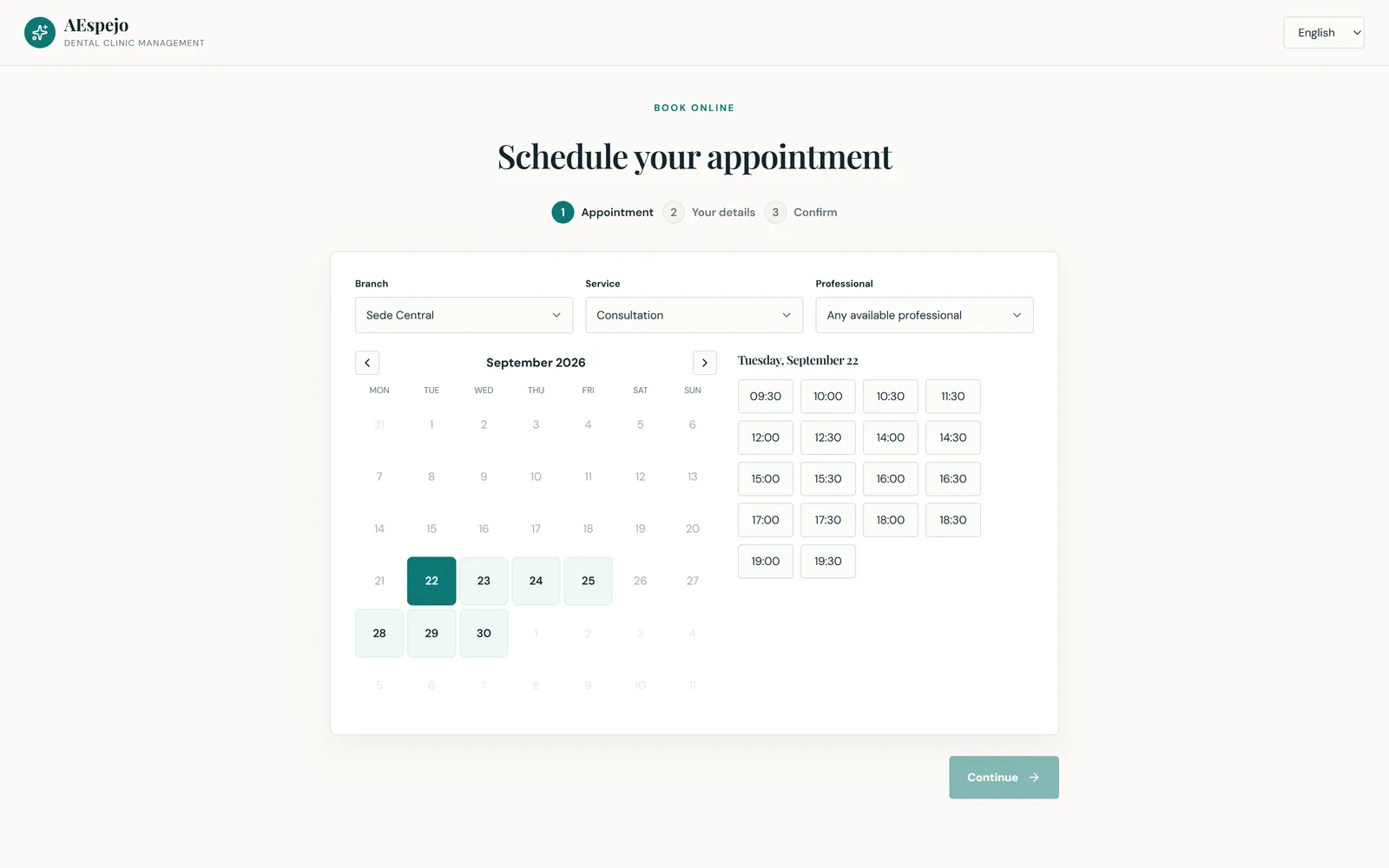
02-public-booking-full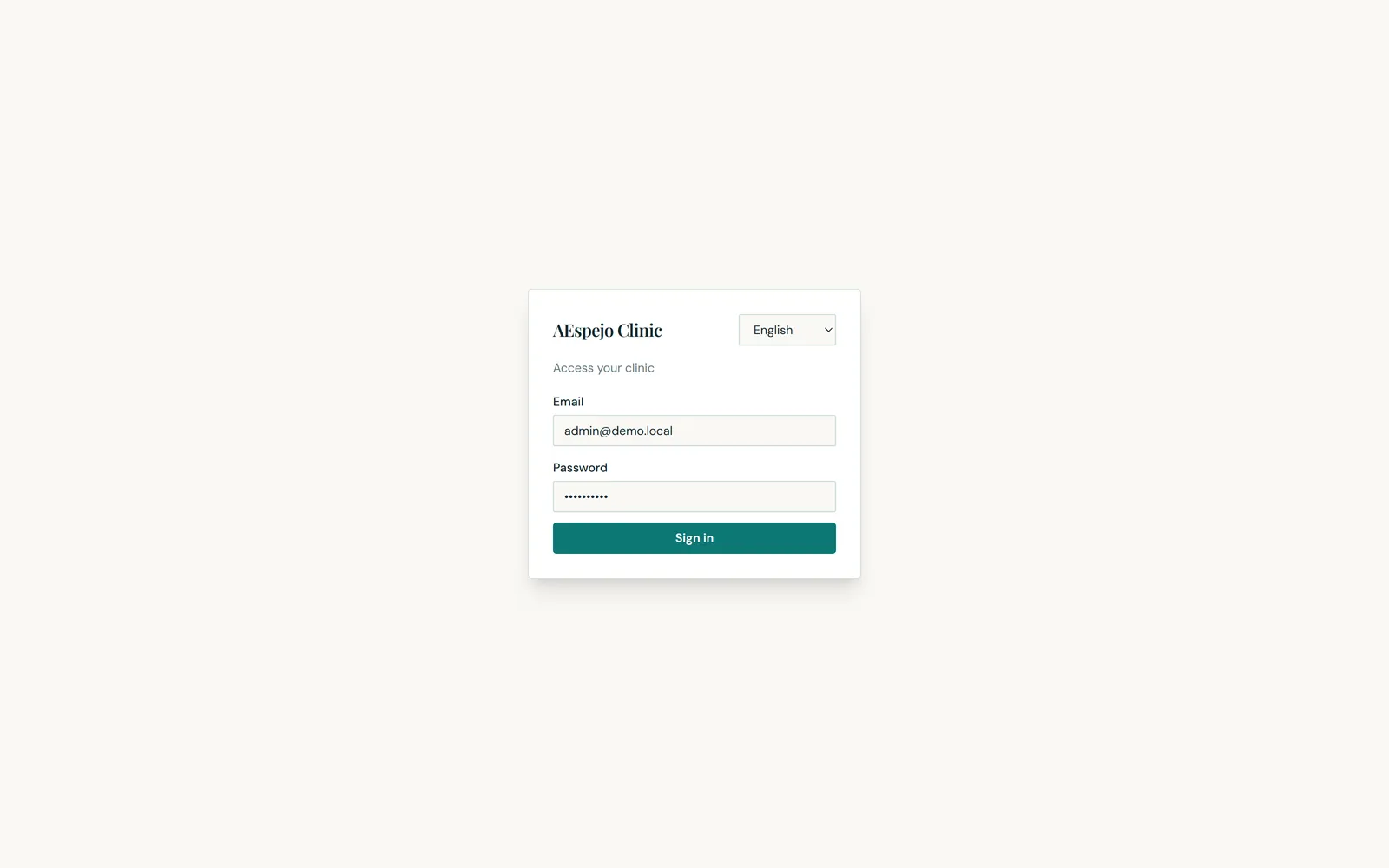
03-loginThe schedule and the patient record.
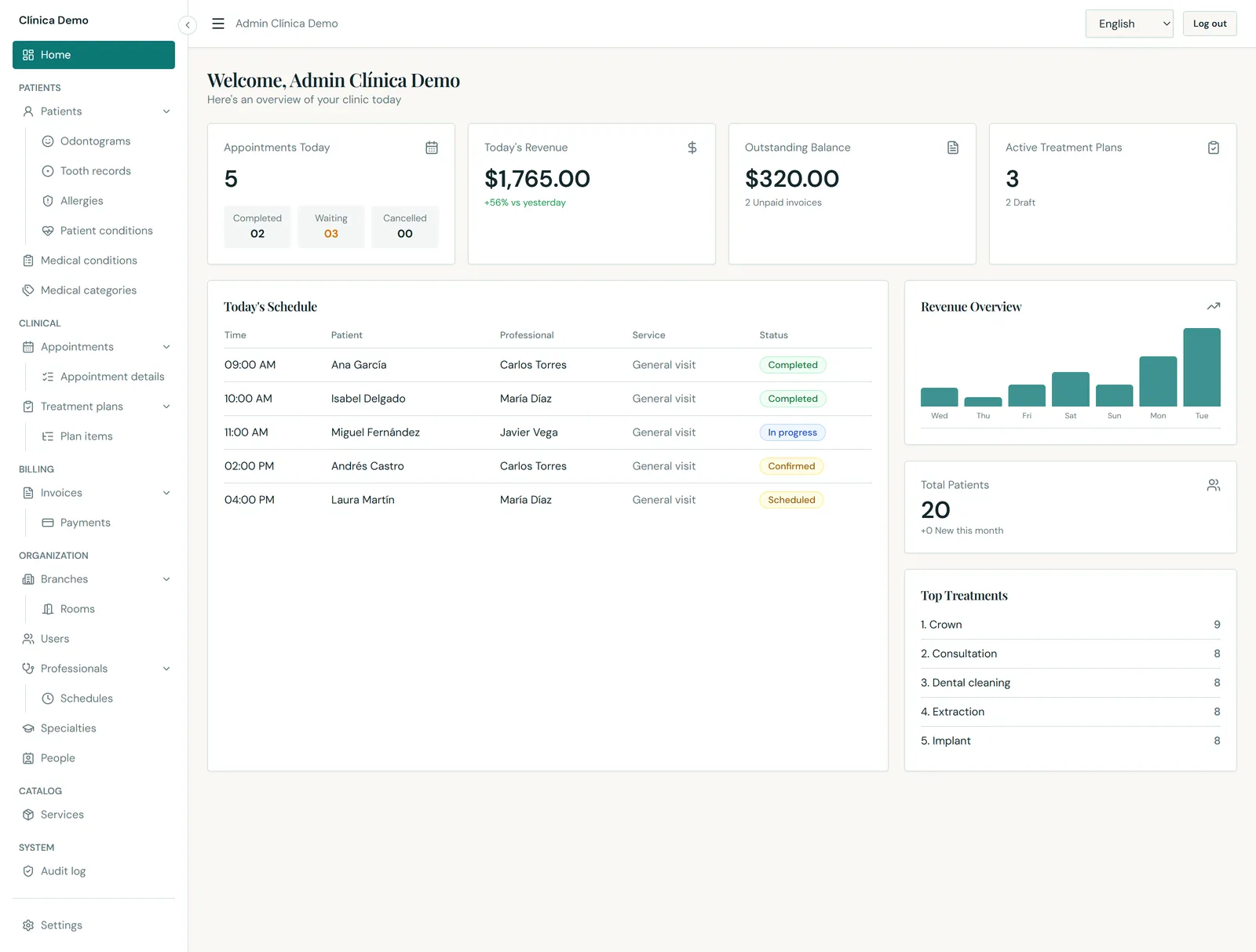
04-dashboard-full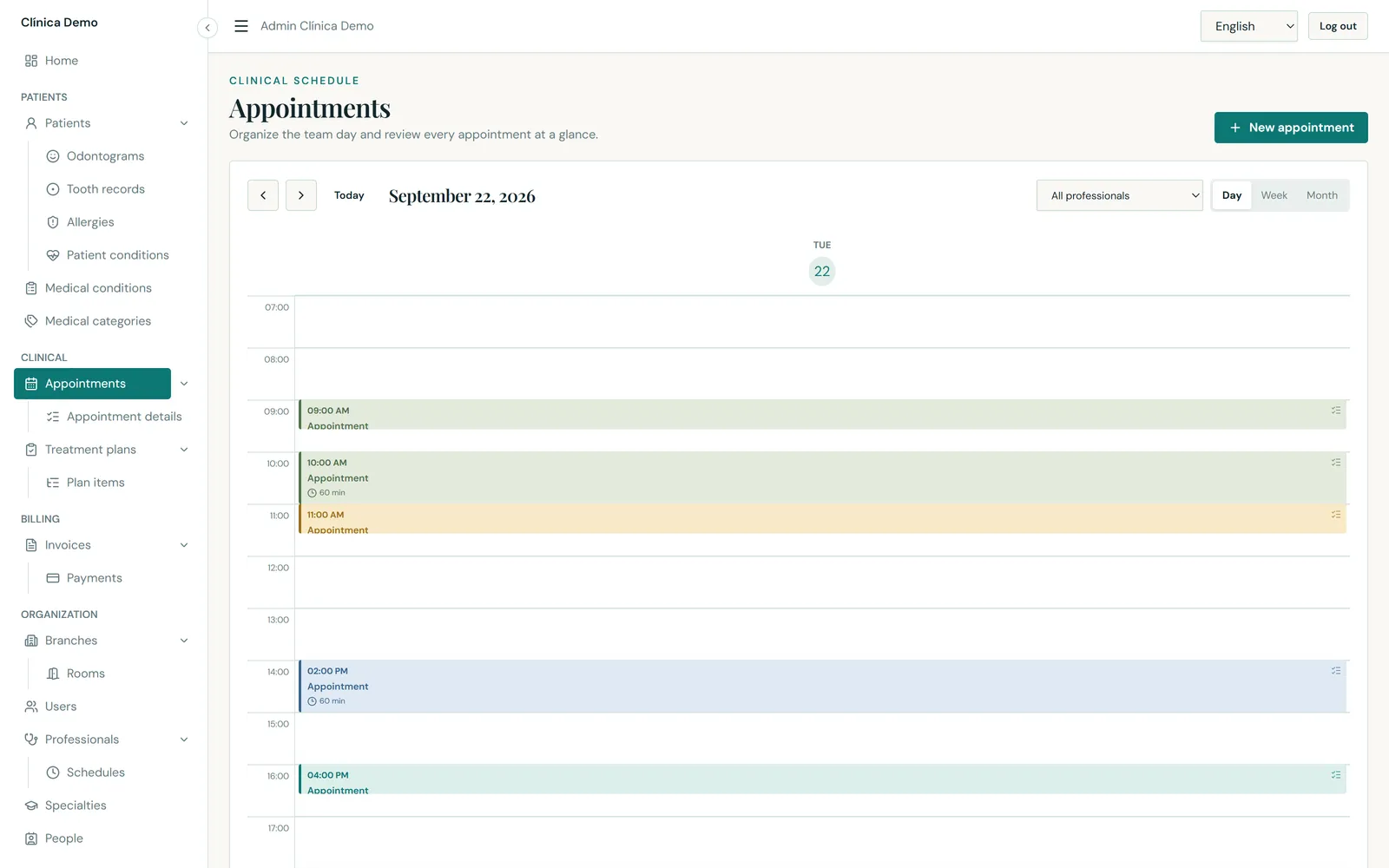
06-calendar-day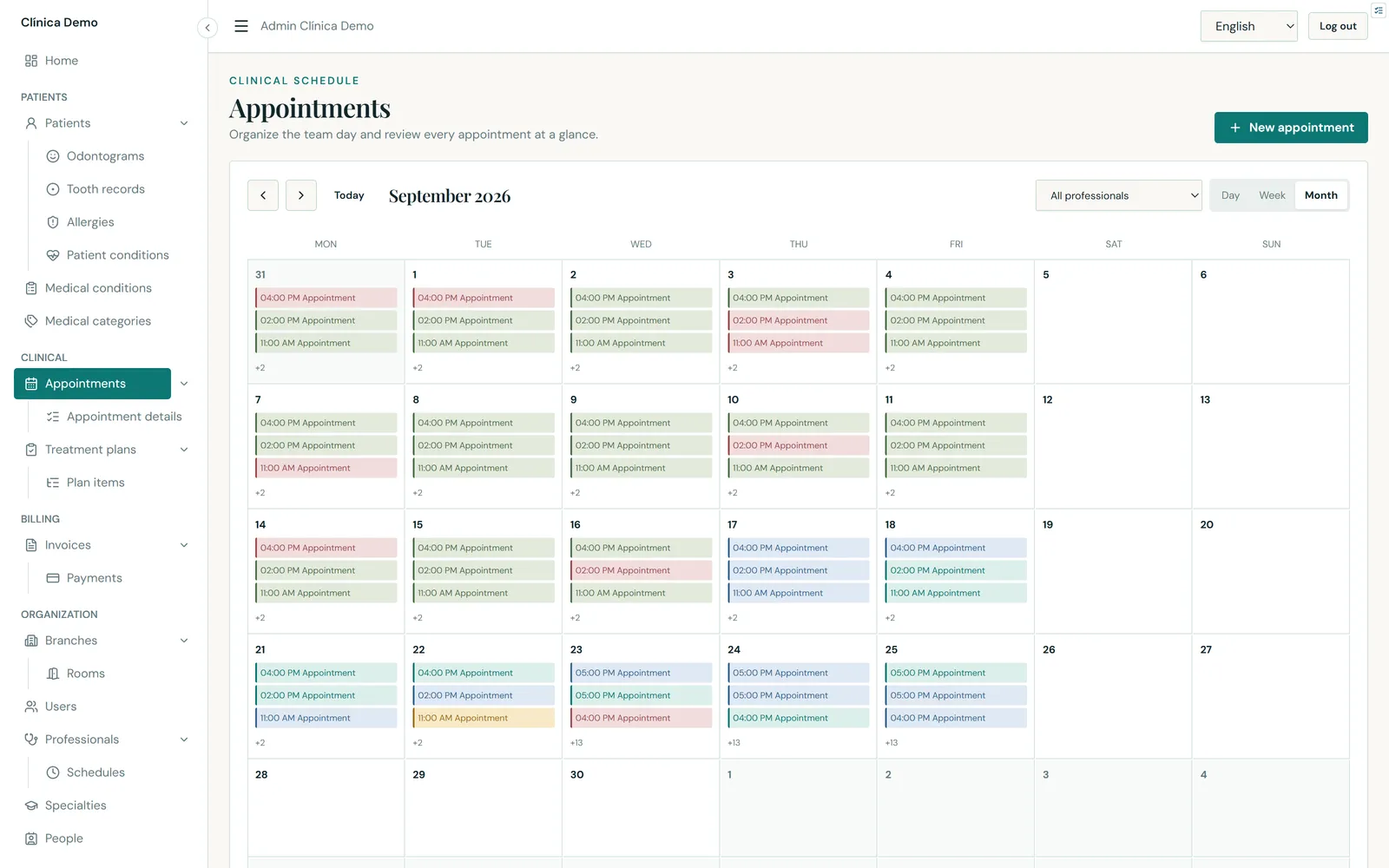
07-calendar-month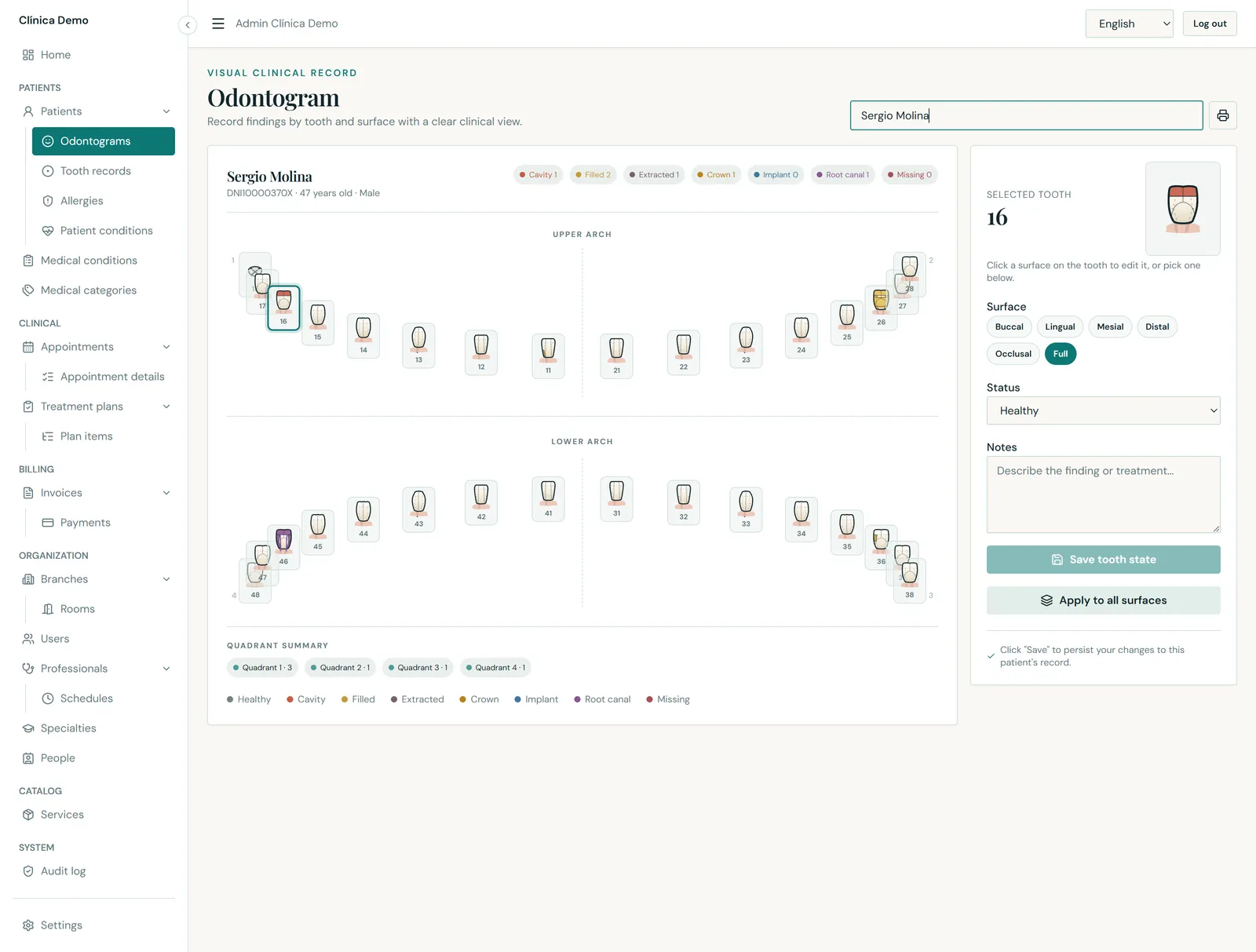
09-odontogram-full10-patients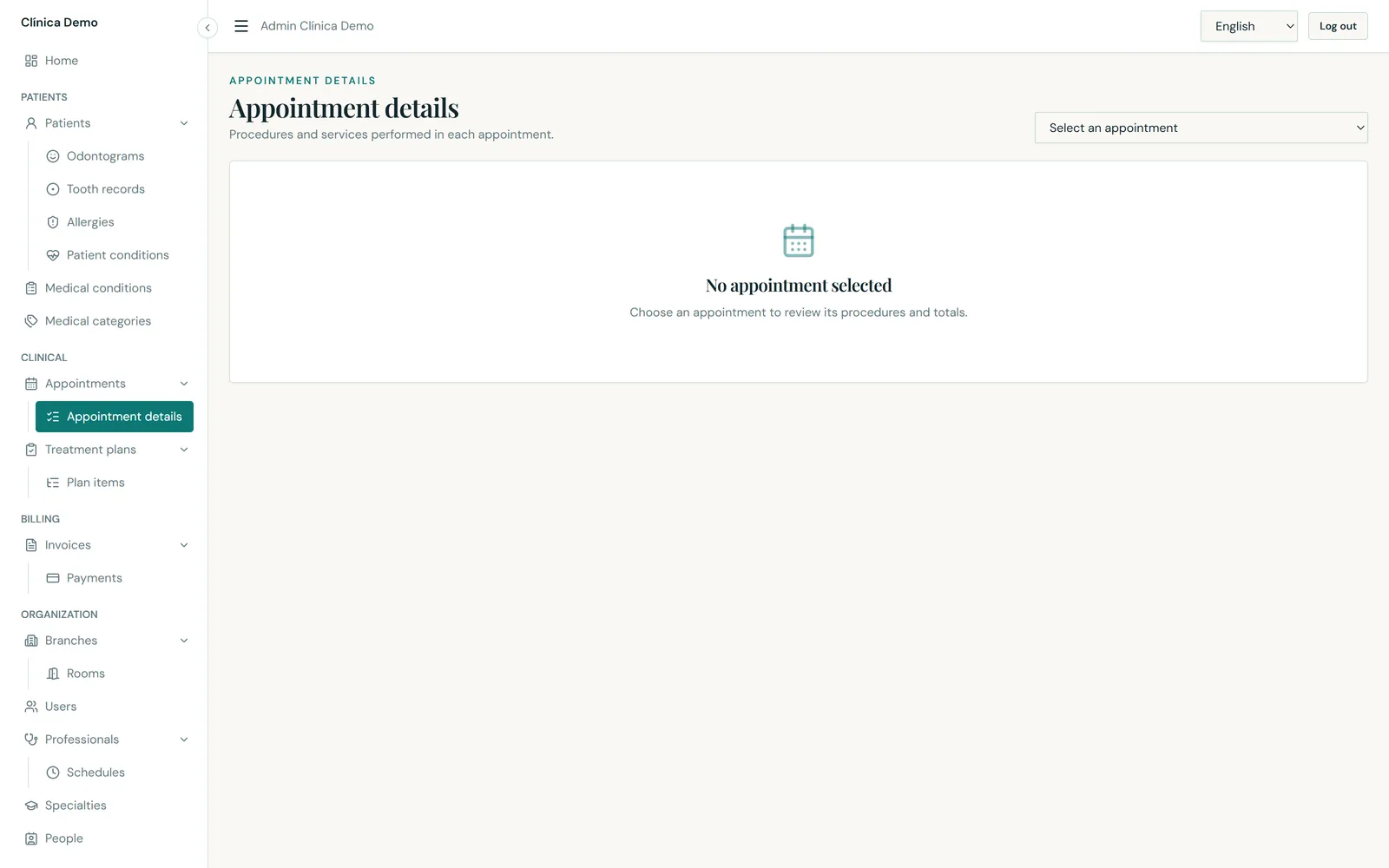
18-appointment-details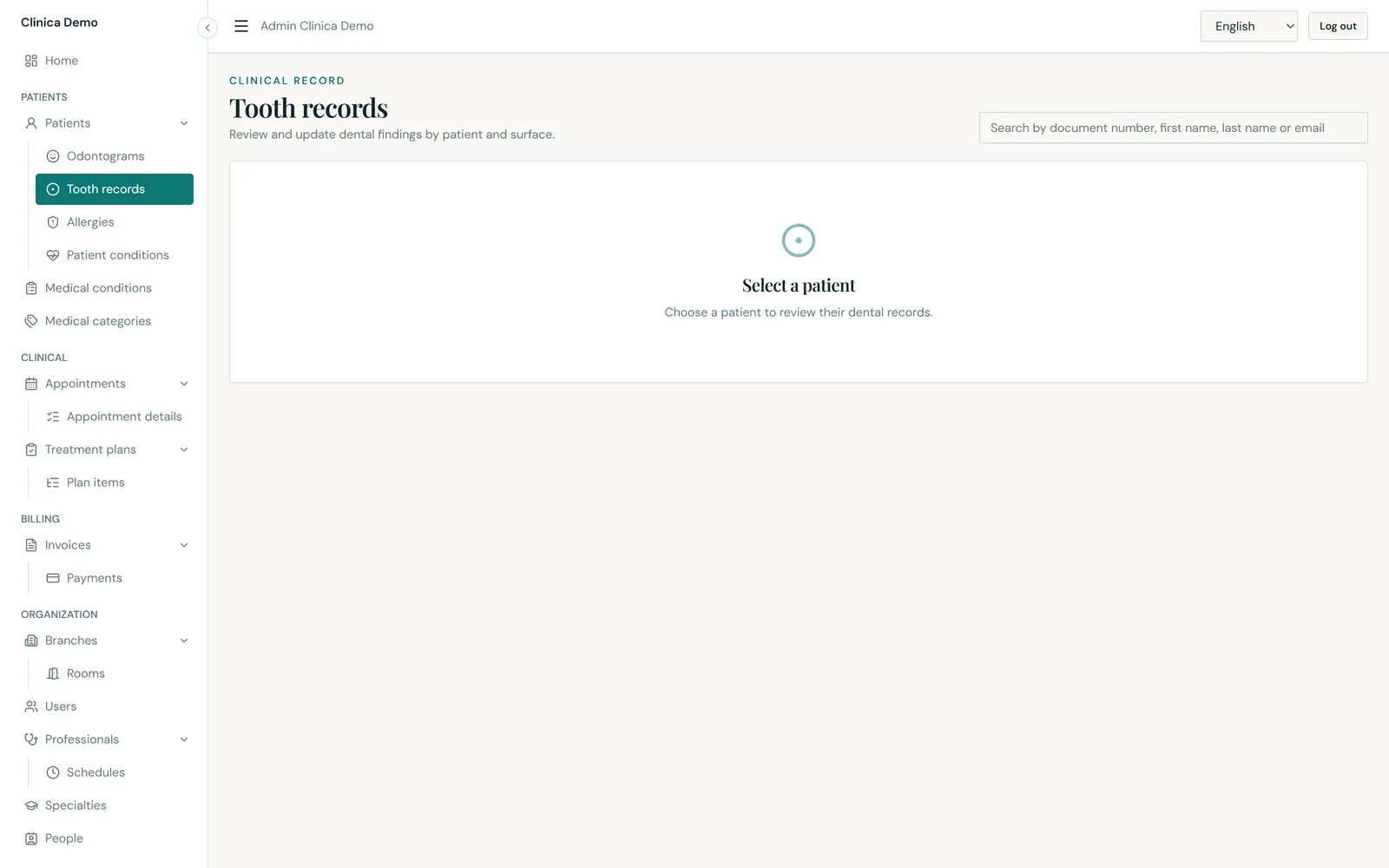
19-tooth-records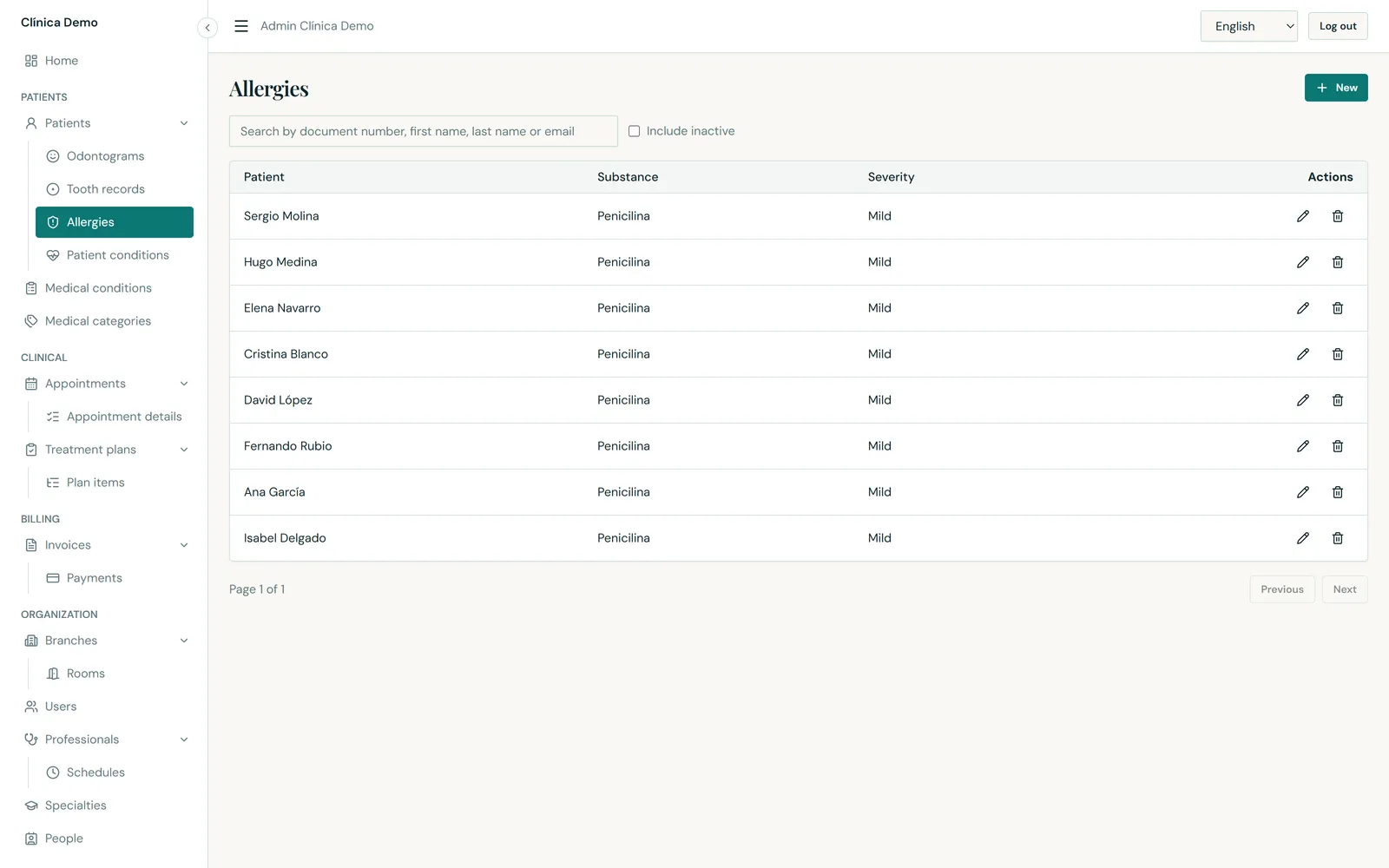
20-patient-allergies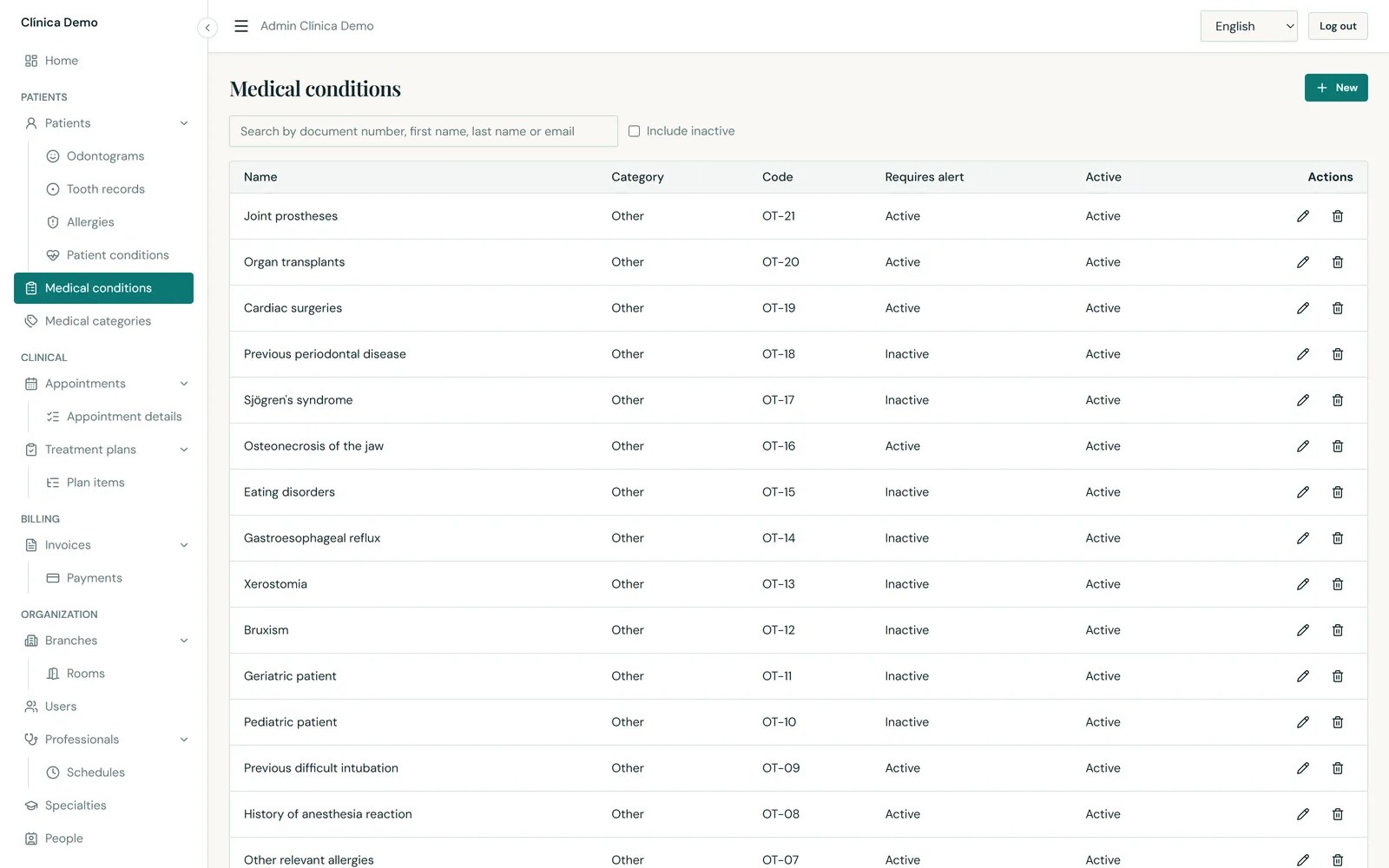
21-medical-conditionsFrom the quote to the payment.
11-treatment-plans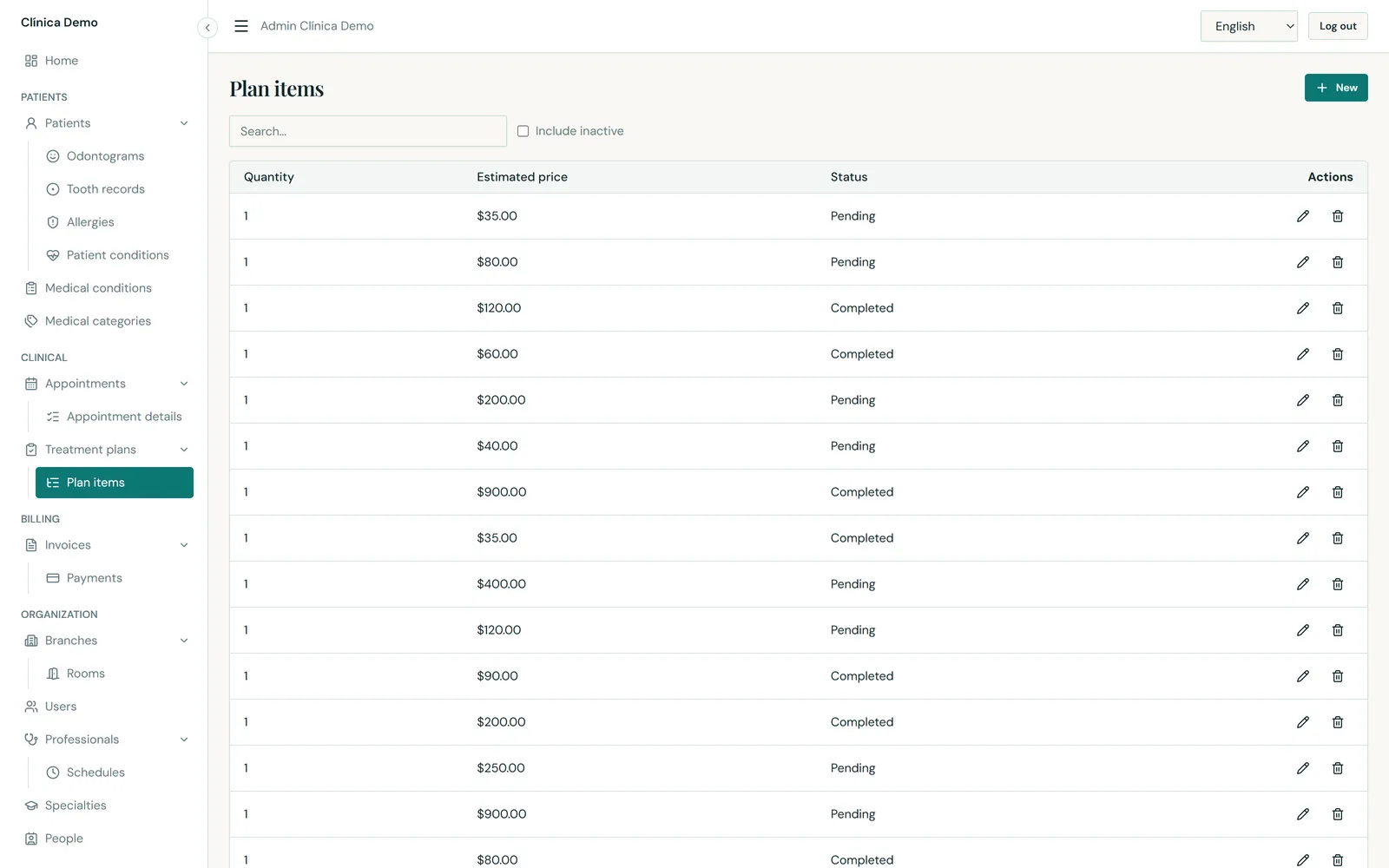
12-treatment-plan-items13-invoices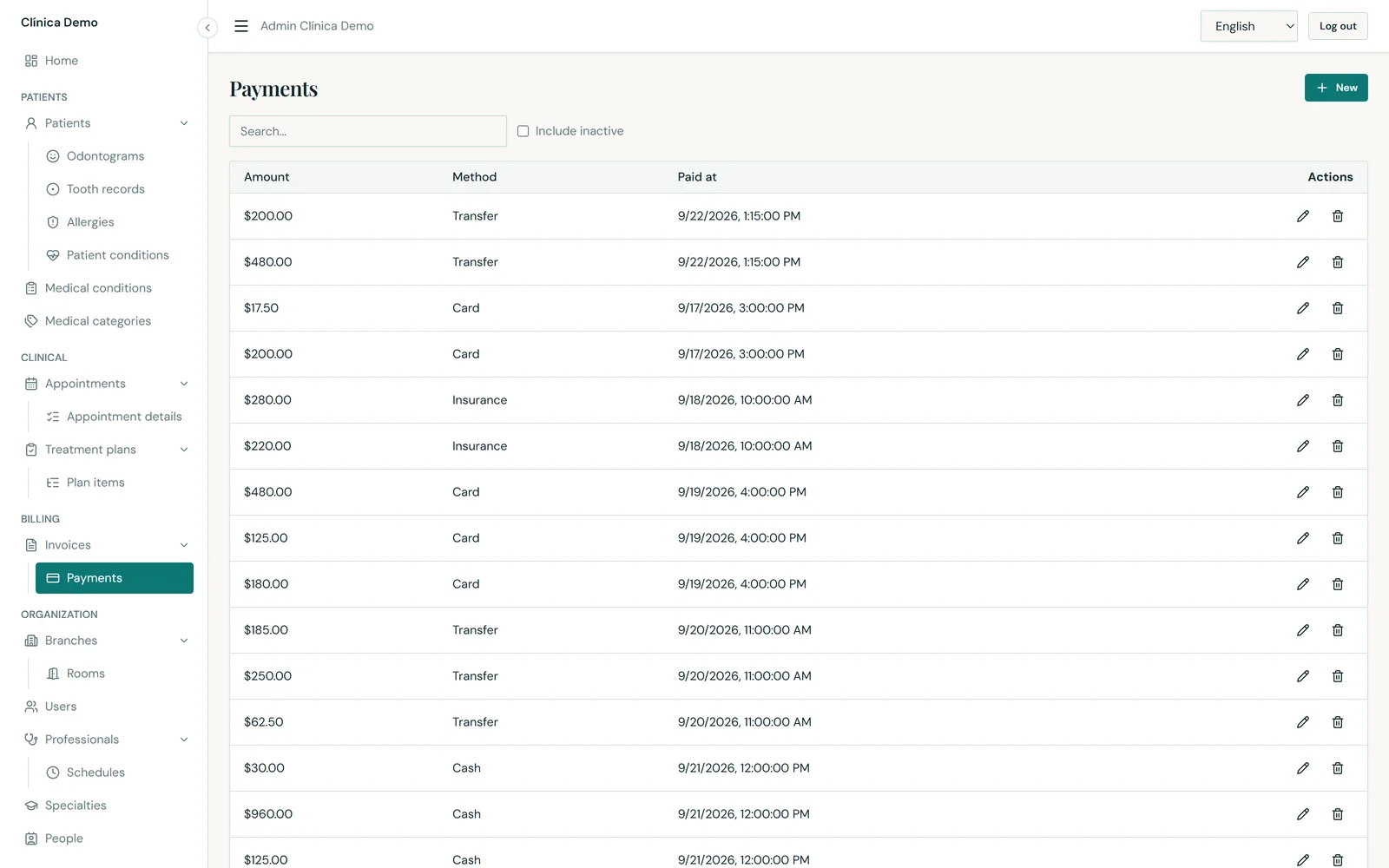
14-payments15-services-catalogTeam, sites and governance.
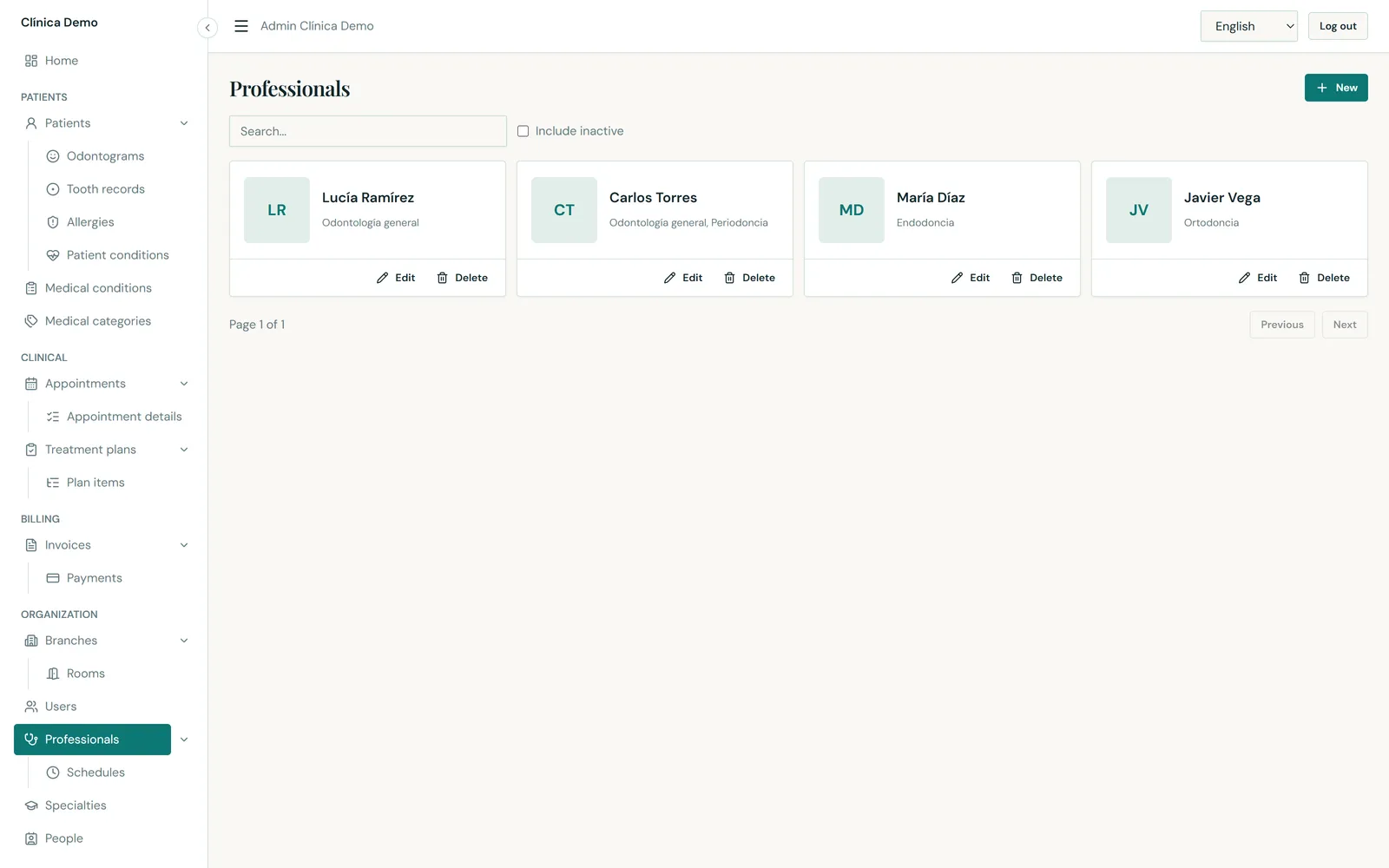
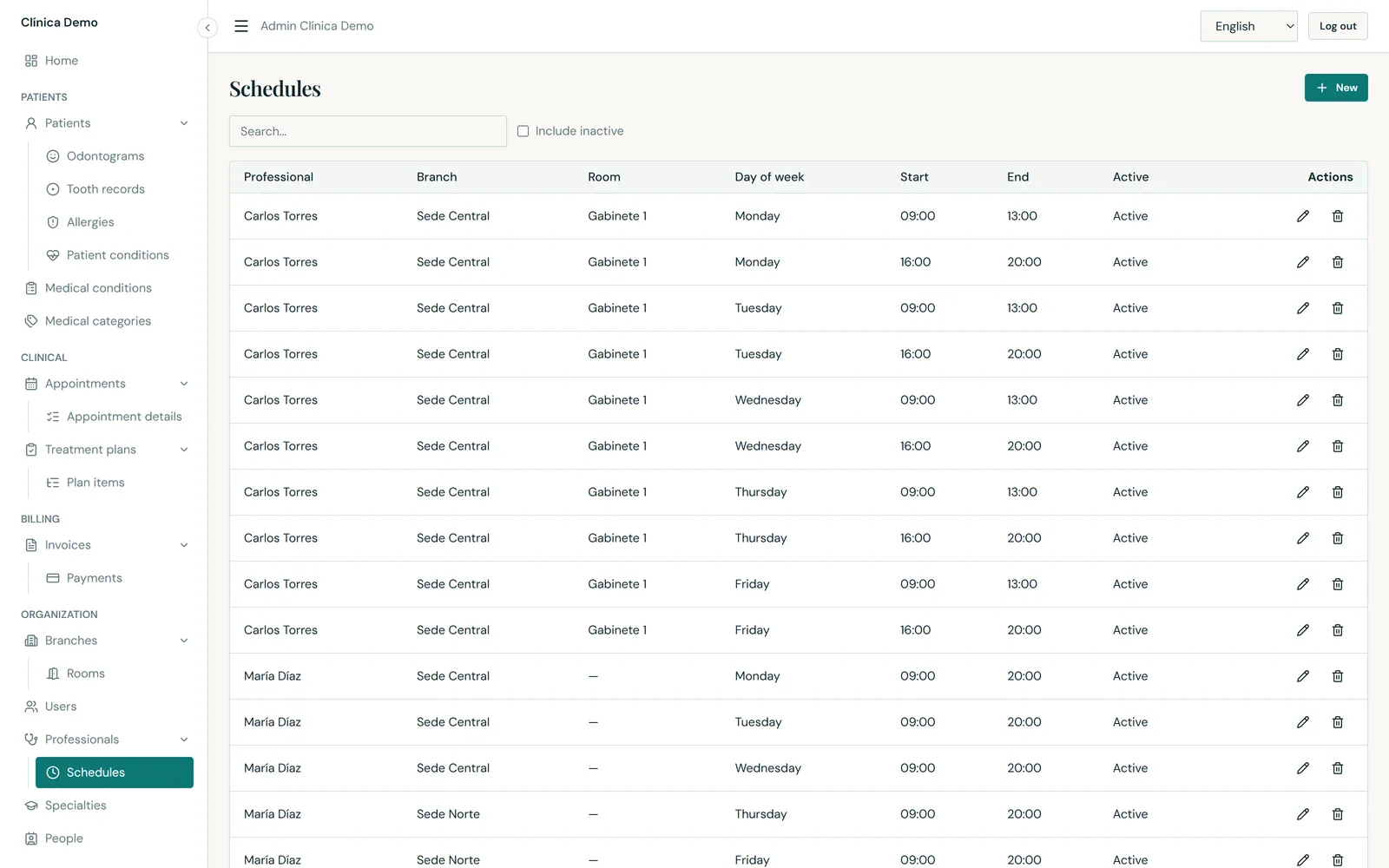
16-professionals17-professional-schedules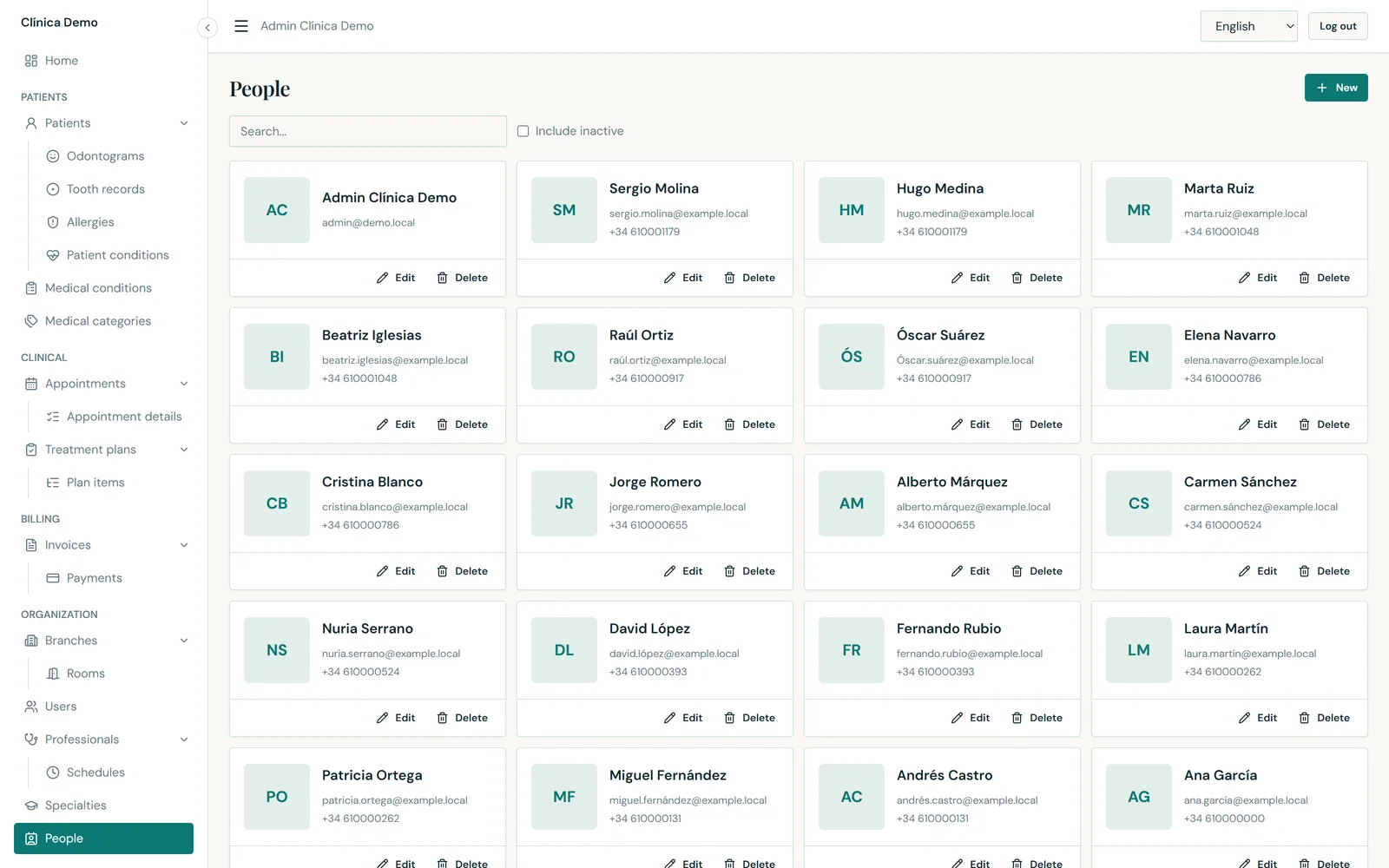
22-persons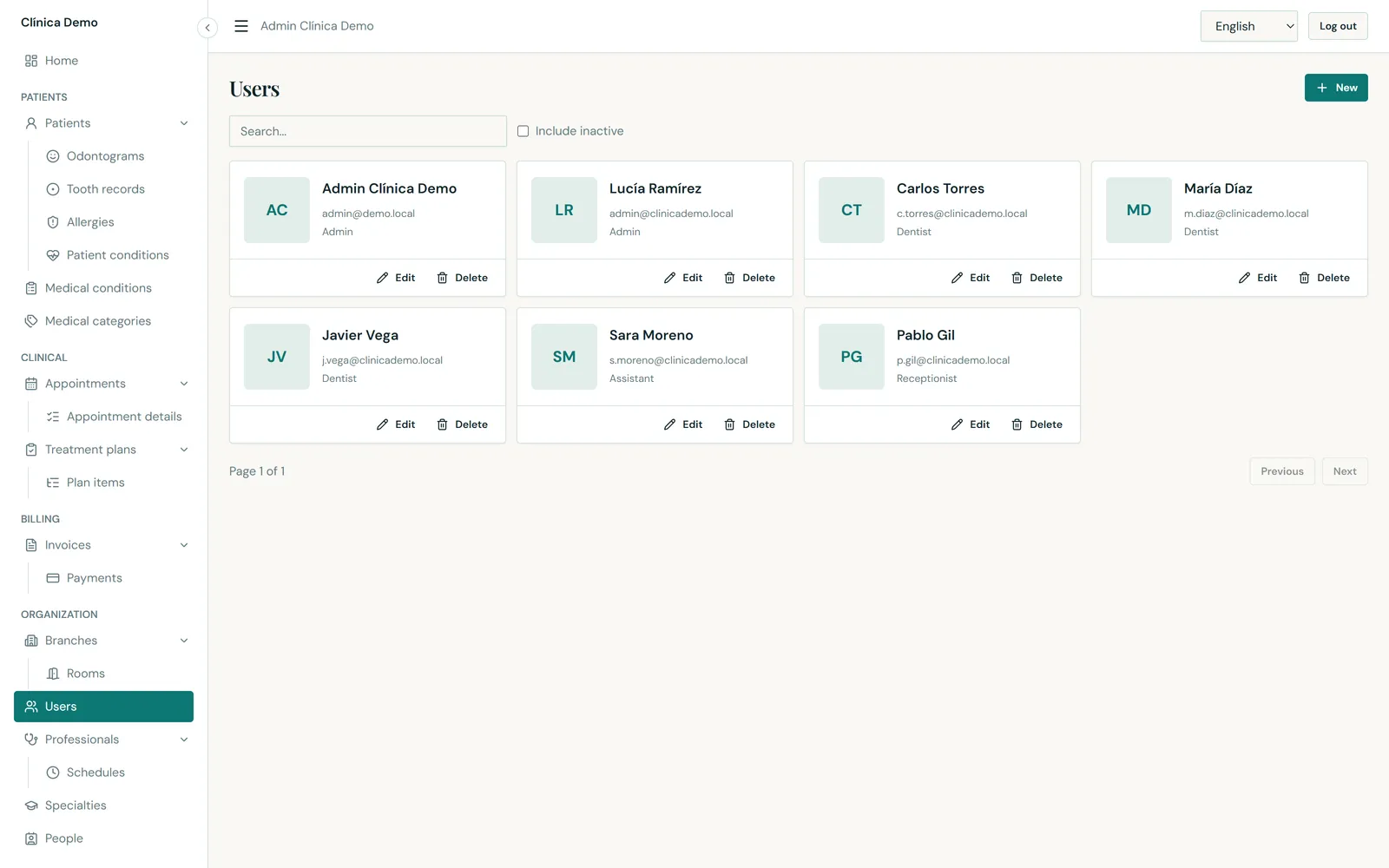
23-users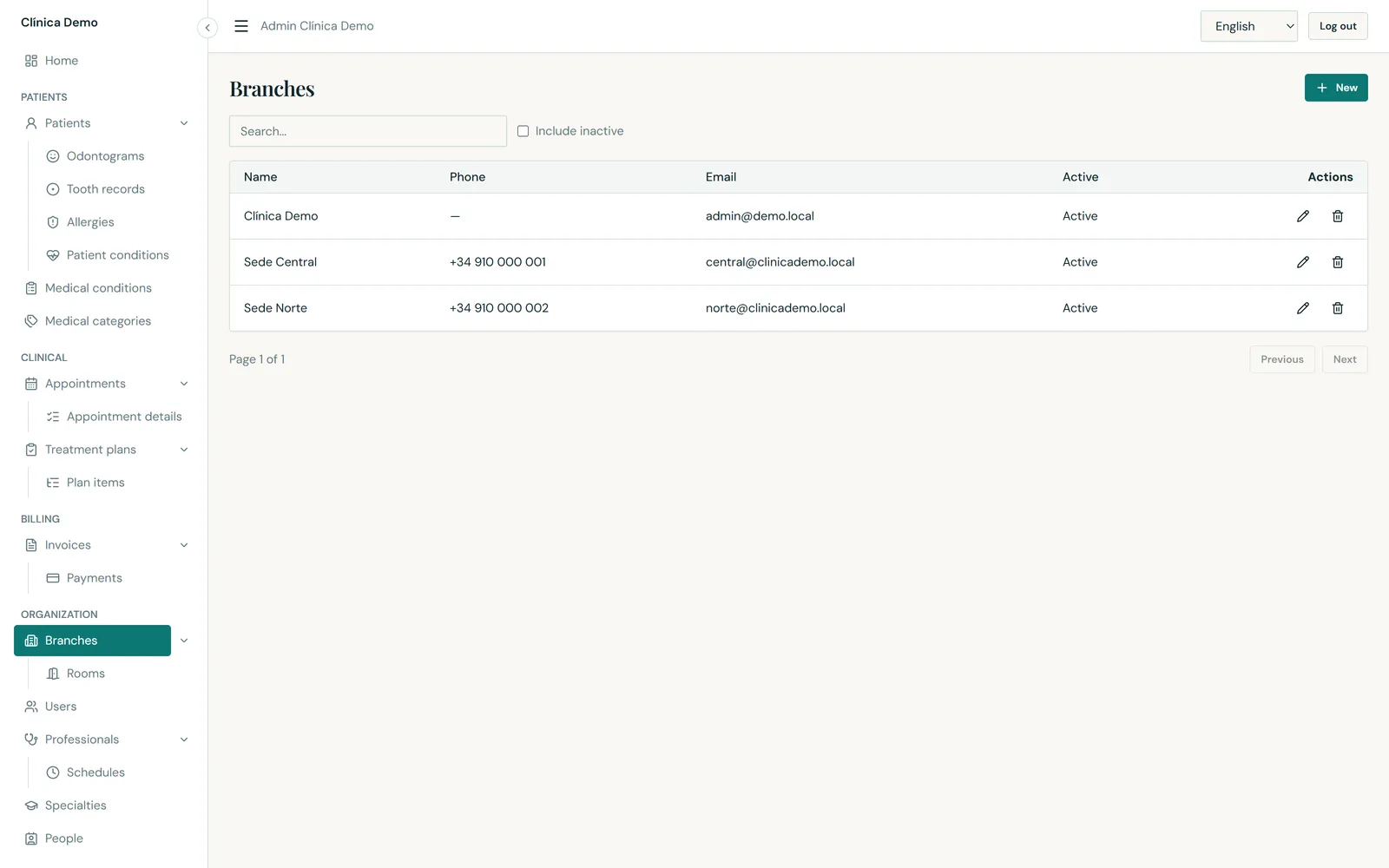
24-branches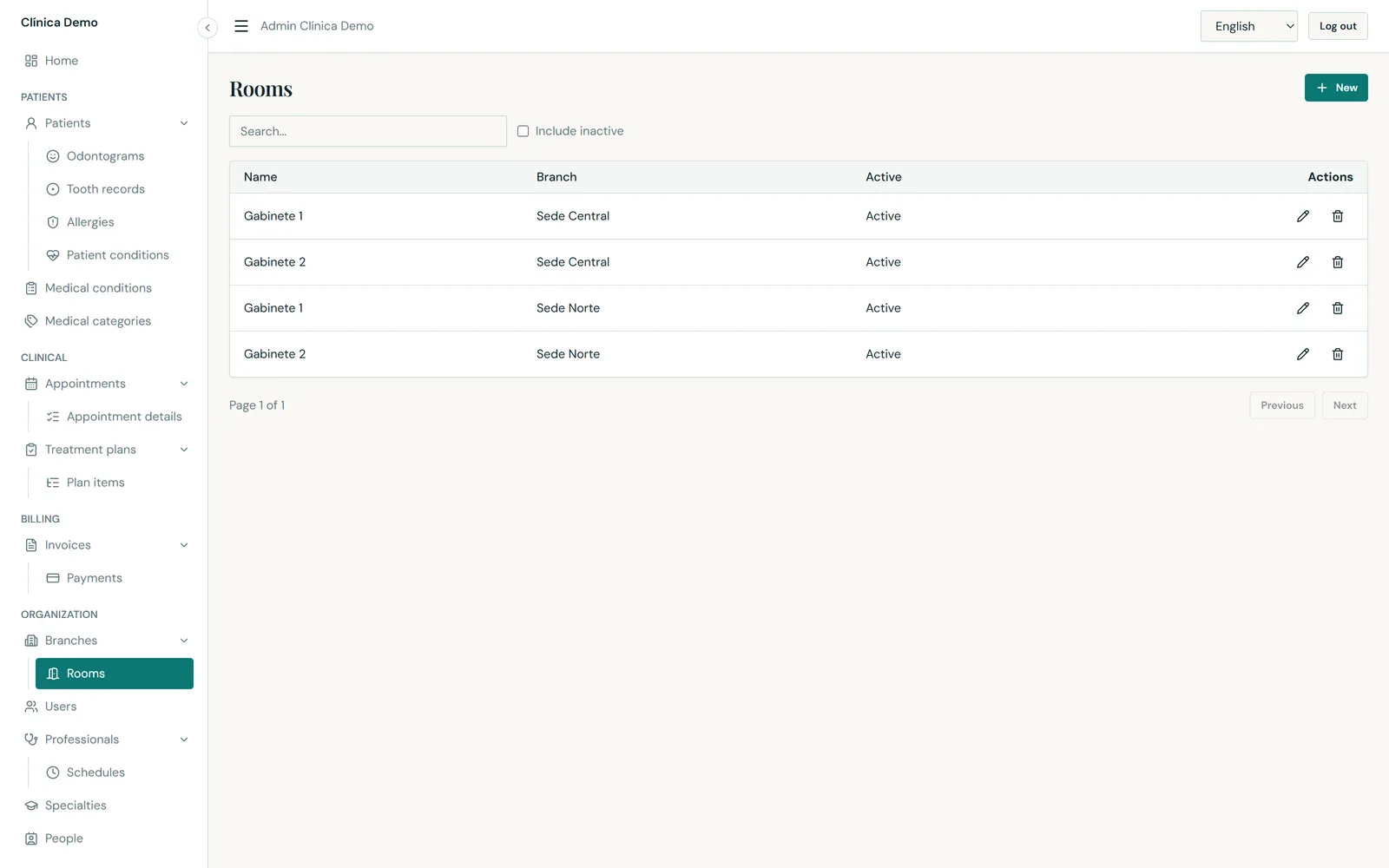
25-rooms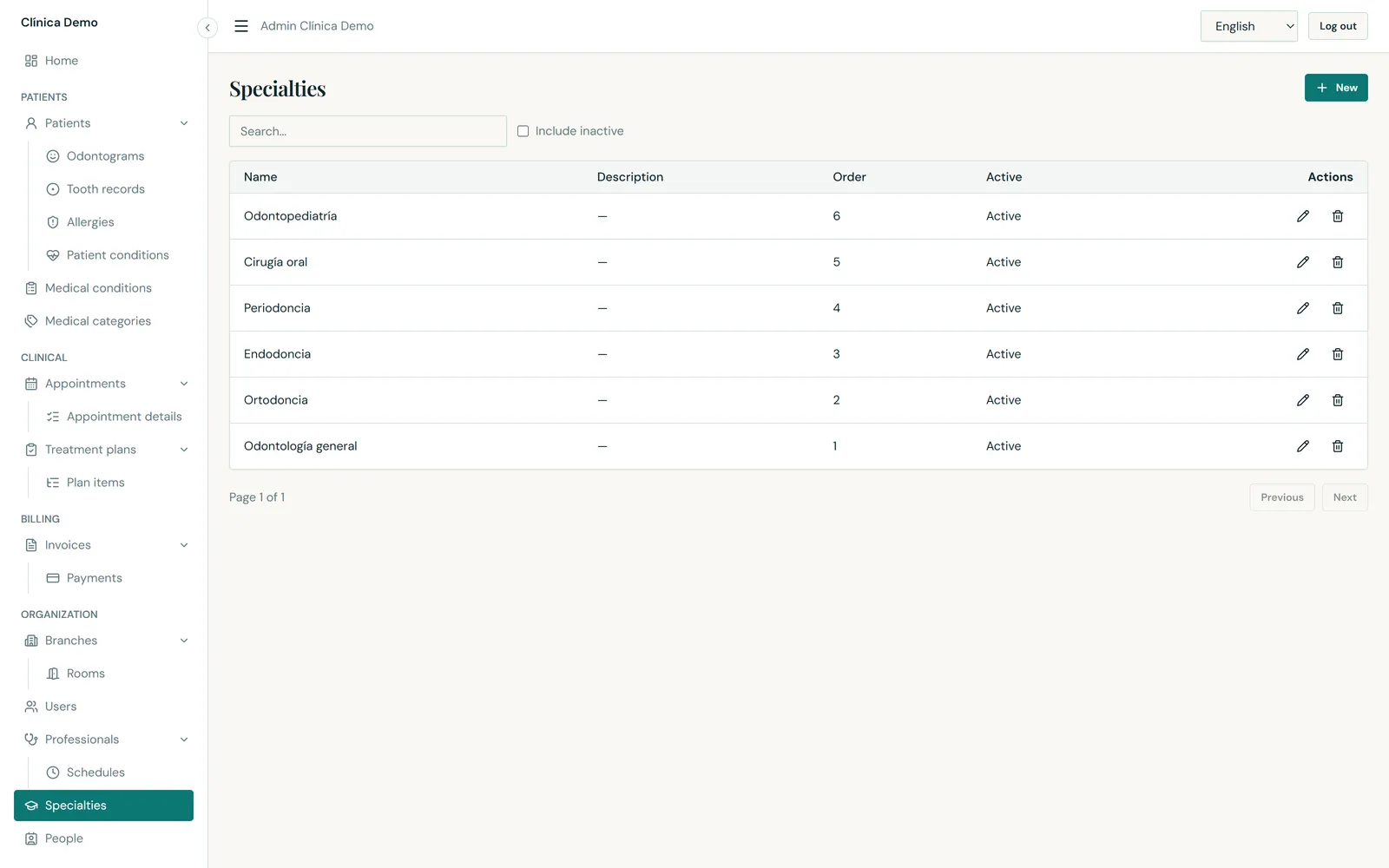
26-specialties27-audit-logs28-settings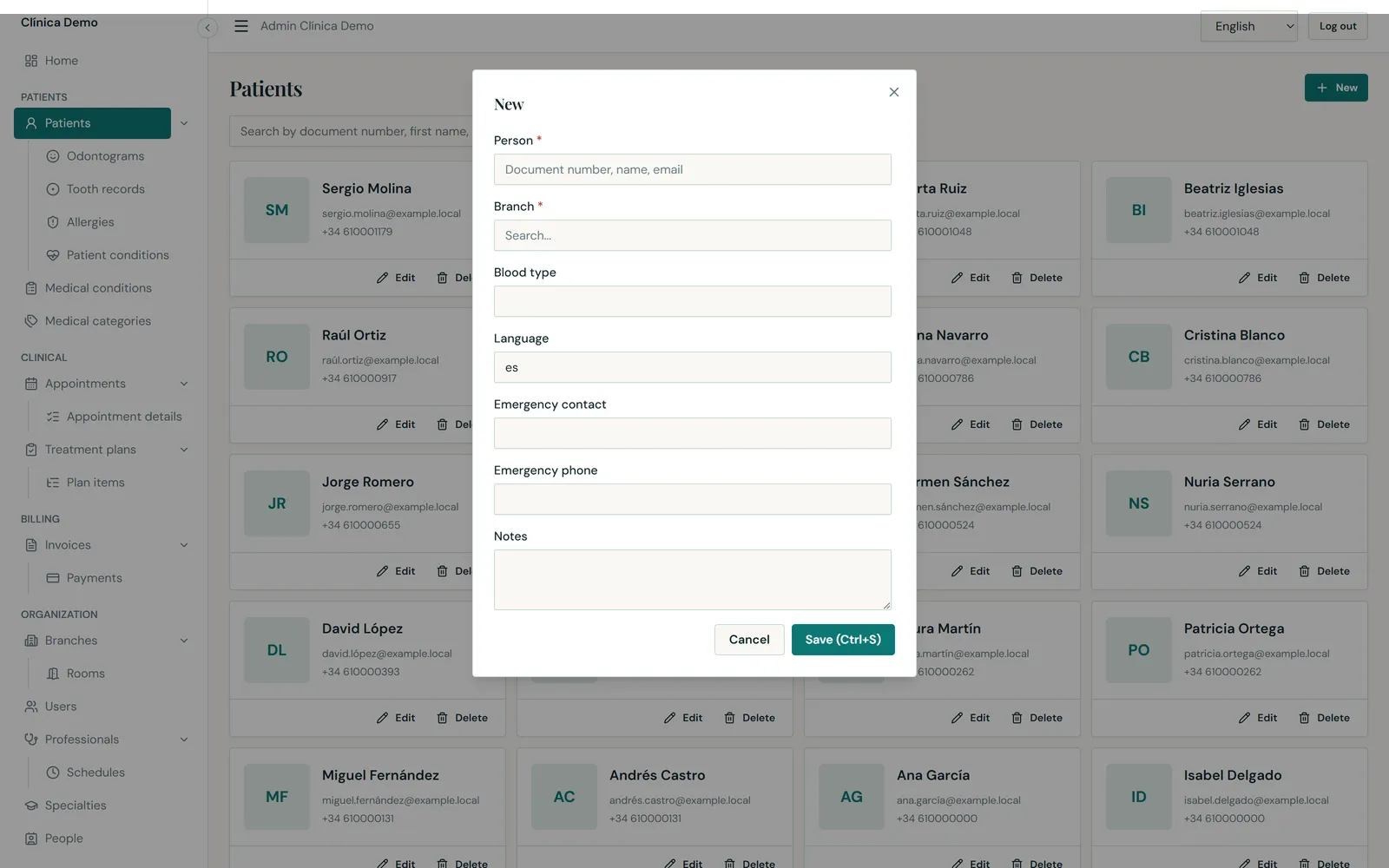
29-patient-form-dialogThe same product on a phone — for split-screen and story-format ads.
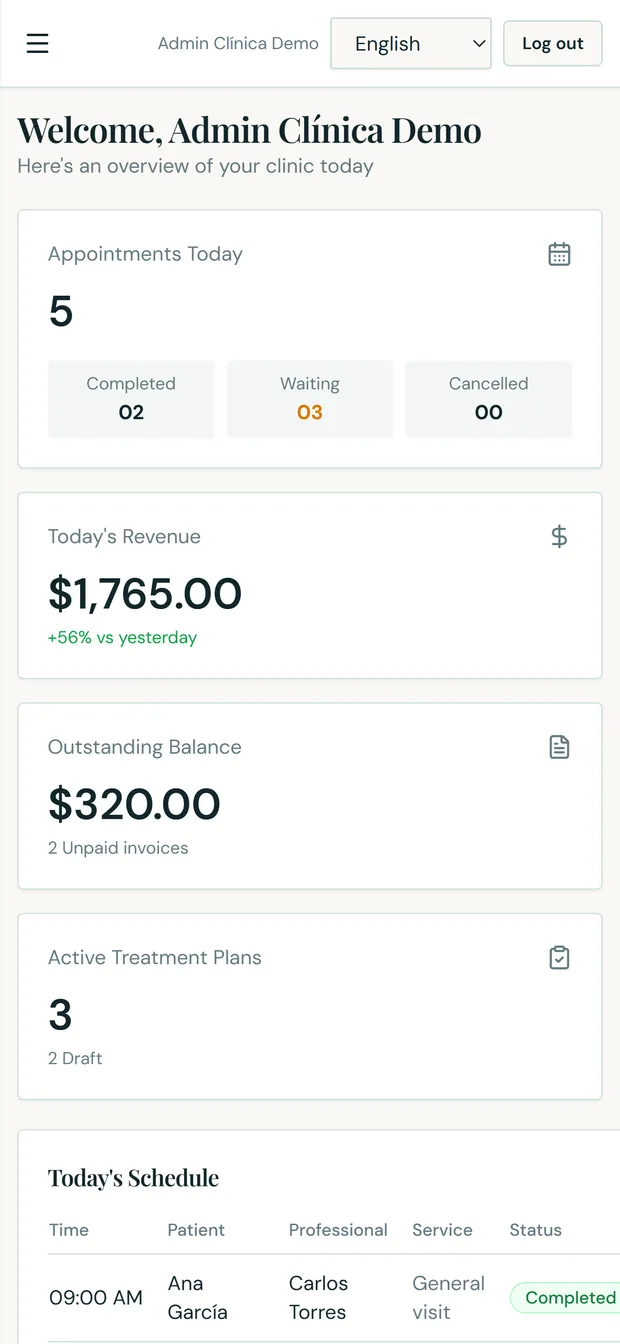
30-mobile-dashboard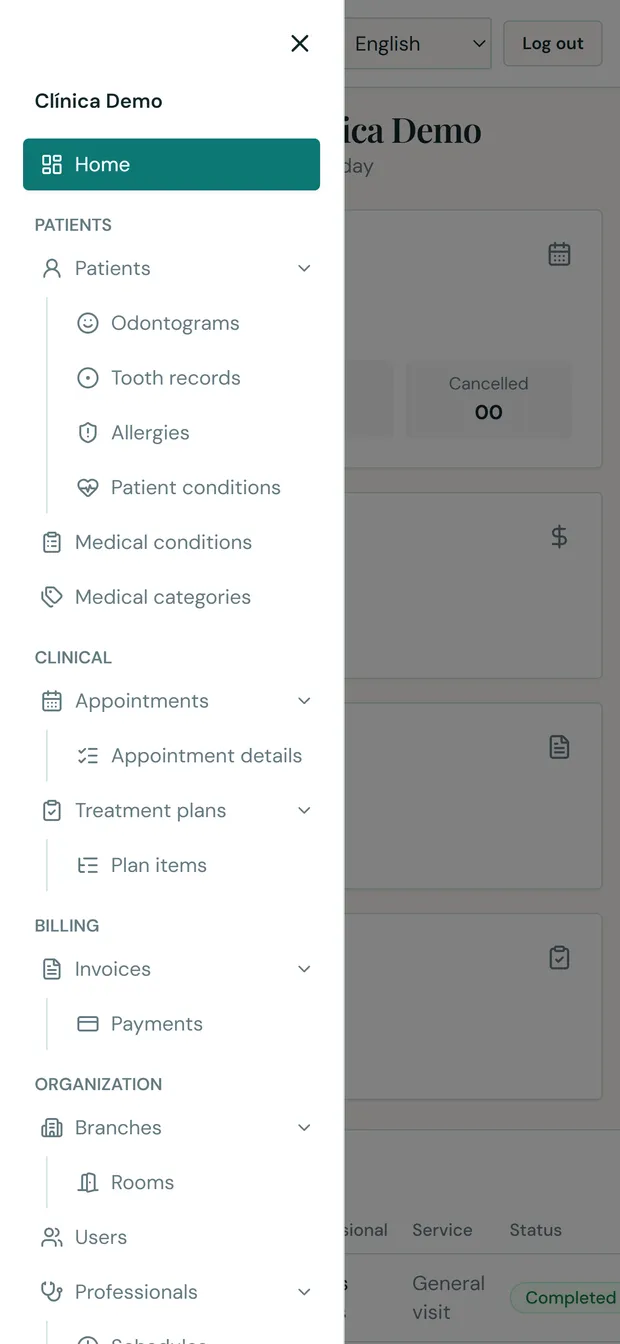
30b-mobile-menu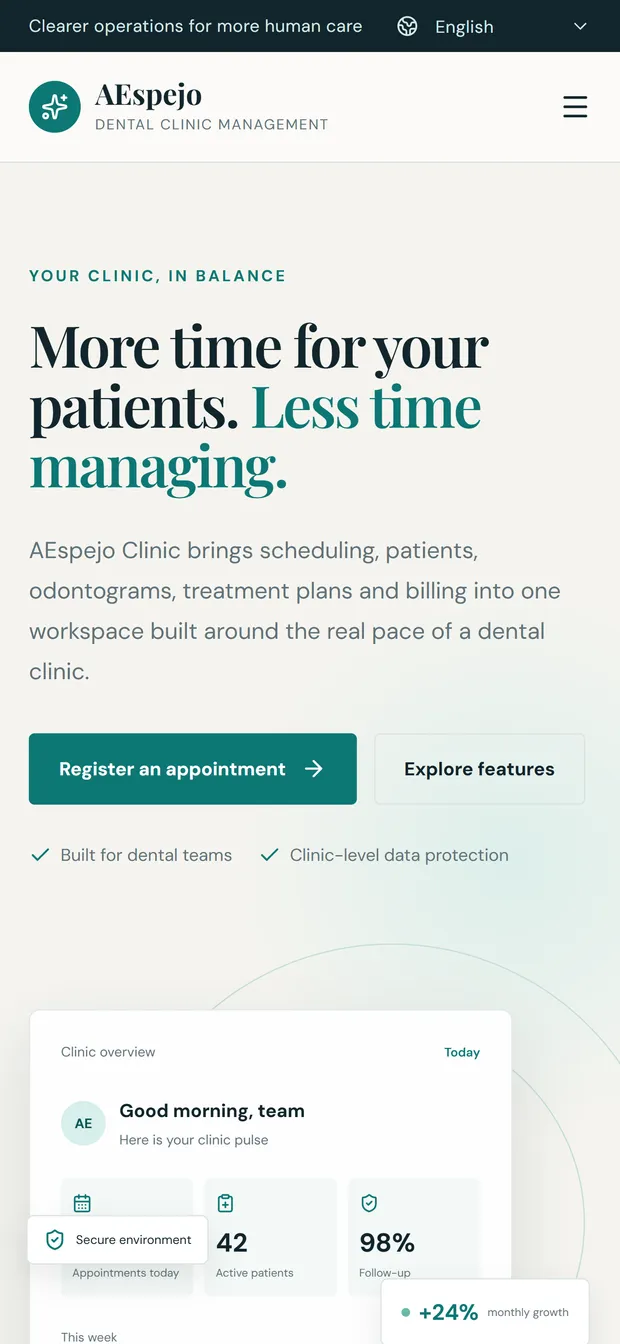
31-mobile-landing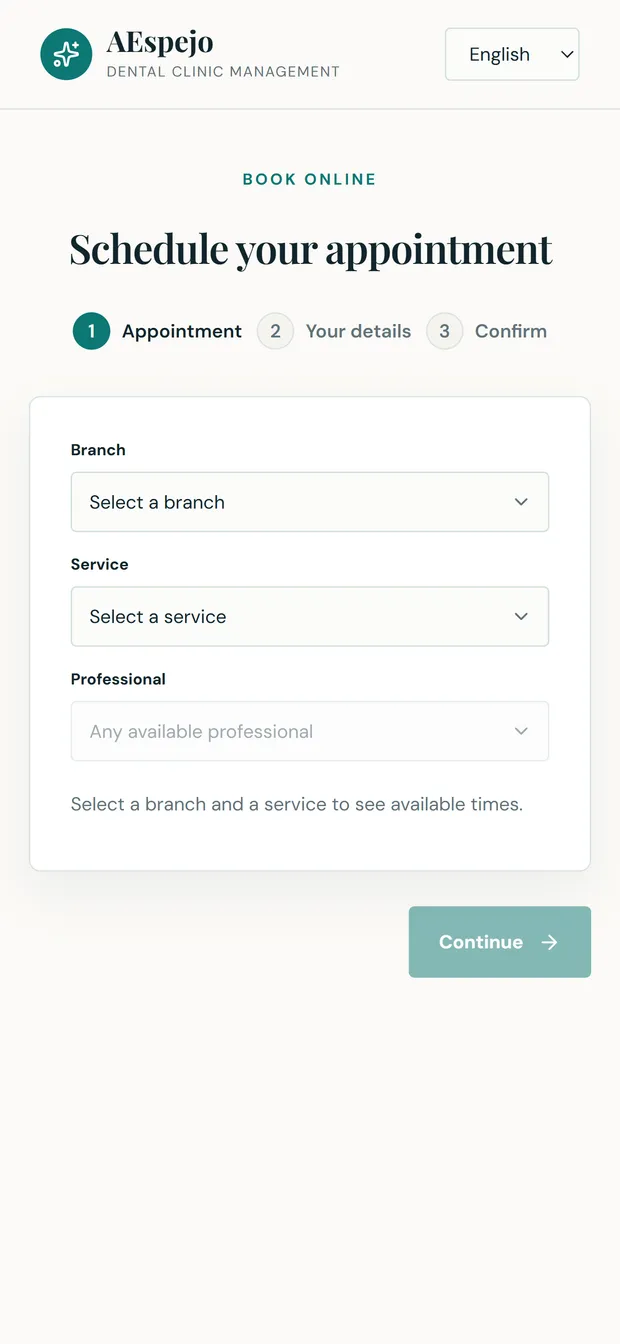
32-mobile-bookingdemo tenant, whose data is generated for demonstration. Patient names,
documents and figures are fictitious. The interface language is set to English.
Open the live demo, or talk to Espejo Labs about adapting it to your practice.
Demo credentials: admin@demo.local · Admin12345